Save an old .mq4 file as .mq5 and open it in MetaEditor for MT5. Then press Compile. The Errors tab fills up at once, often with dozens of lines. It looks bad, but most errors trace back to just eight changes in the language. Fix those, and much of the code compiles as it is.
![[SCREENSHOT: MetaEditor 5 Errors tab after compiling an unconverted MQL4 file]](/img/en/blog/convert-mql4-to-mql5/metaeditor.svg)
Below, you will convert MQL4 to MQL5 one error at a time. Then you test both versions side by side.
Why you need to convert MQL4 to MQL5
MT5 cannot run .ex4 files at all. On top of that, MQL5 changed two big parts of the language. First, the trade model now splits orders, deals and positions. Second, indicators return a handle instead of a value.
The rest of the syntax looks alike, so loops, math and inputs carry over. The trade and indicator layers, however, need a real rewrite. That is why no simple rename can convert MQL4 to MQL5.
Before you convert MQL4 to MQL5
Keep the .mq4 source file safe. A compiled .ex4 file holds no readable code, and we do not decompile files. So without the source, the only path is a fresh build from a written list of the rules.
Next, list every input and feature of the EA. Then open the same symbol on an MT5 demo account for the tests later.
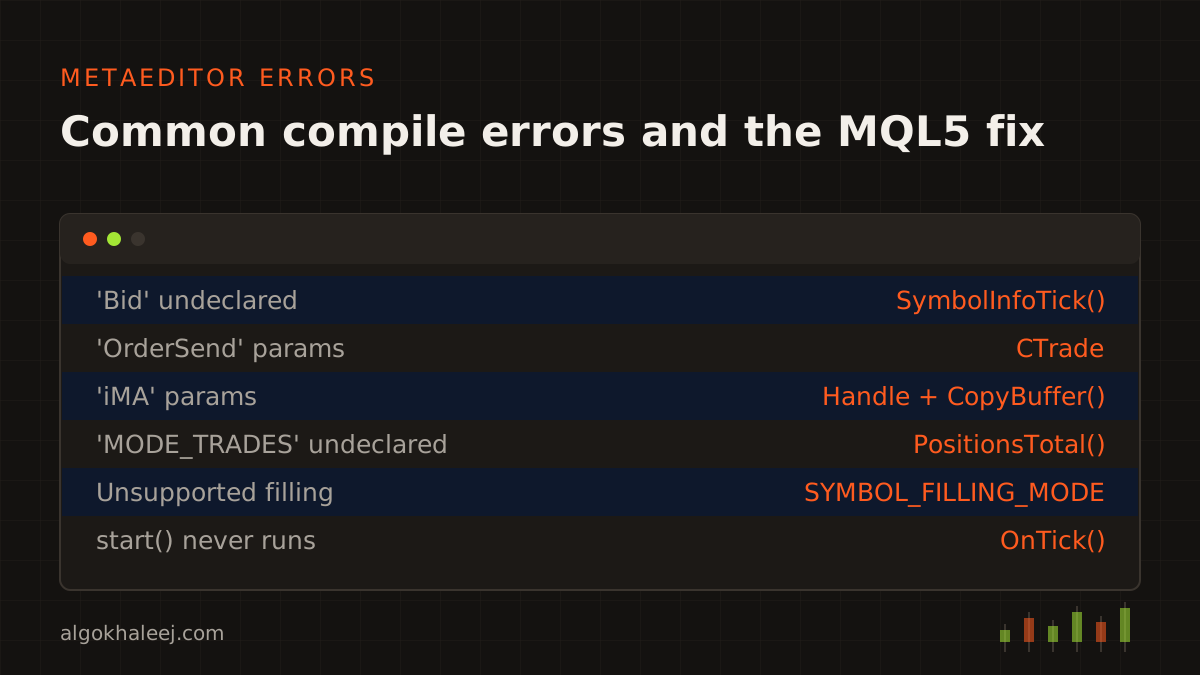
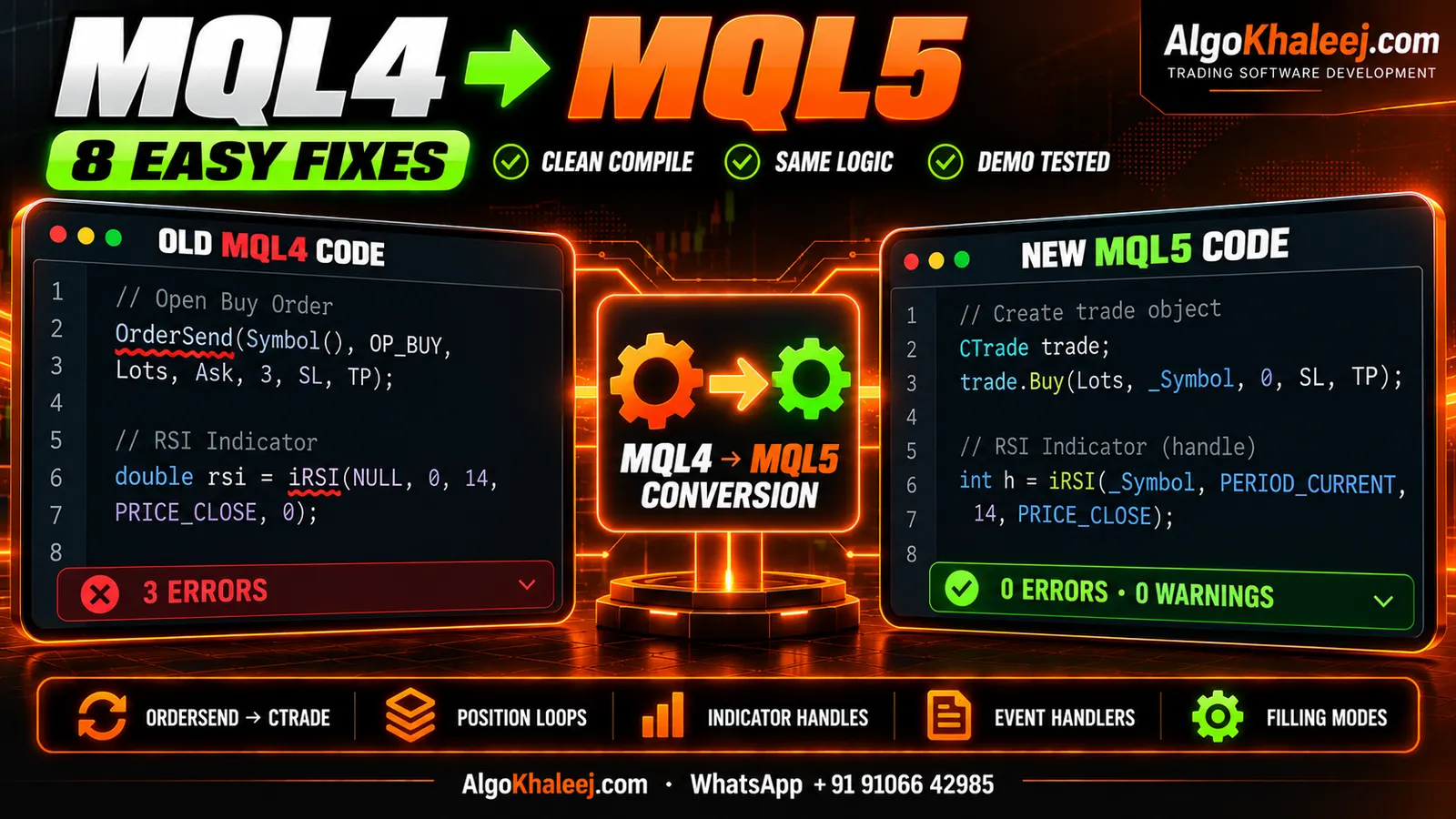
Fix 1: Replace OrderSend() with CTrade
Error: 'OrderSend' - wrong parameters count
Most traders who convert MQL4 to MQL5 start here, since all EAs send orders. In MQL4, OrderSend() takes eleven values in one call. MQL5 expects a request and a result structure instead. The simplest fix is the CTrade class from the standard library:
#include <Trade\Trade.mqh>
CTrade trade;
// MQL4: OrderSend(Symbol(), OP_BUY, 0.10, Ask, 3, sl, tp, "", 123, 0, clrNONE);
trade.SetExpertMagicNumber(123);
trade.Buy(0.10, _Symbol, 0.0, sl, tp);   // price 0.0 = current Ask
CTrade fills the request for you and keeps the last result.
Fix 2: Rewrite order loops for positions
Errors: 'MODE_TRADES' - undeclared identifier and 'OrderSelect' - wrong parameters count
MQL4 keeps market and pending orders in one list, while MQL5 splits them up. Open trades become positions, and OrdersTotal() now counts pending orders only. So a loop over open trades needs new functions:
for(int i = PositionsTotal() - 1; i >= 0; i--)
  {
   ulong ticket = PositionGetTicket(i);           // also selects the position
   if(PositionGetInteger(POSITION_MAGIC) != 123) continue;
   // manage the position here
  }
For closed trades, call HistorySelect() first, then read the deals. Each fill is a deal, so one position can have several deals.
Fix 3: Use indicator handles and CopyBuffer()
Error: 'iMA' - wrong parameters count
In MQL4, iMA() returns the value of the moving average right away. In MQL5, it returns a handle, and you read values with CopyBuffer(). So create the handle once in OnInit(), then read it in OnTick():
int maHandle = INVALID_HANDLE;                                   // global
maHandle = iMA(_Symbol, _Period, 50, 0, MODE_EMA, PRICE_CLOSE);  // OnInit()
double ma[];                                                     // OnTick()
ArraySetAsSeries(ma, true);
if(CopyBuffer(maHandle, 0, 0, 3, ma) < 3) return;                // ma[1] = last closed bar
Finally, free the handle with IndicatorRelease() in OnDeinit(). Never create a new handle on every tick, since that wastes memory.
Fix 4: Replace Bid, Ask and the Close[] series
Errors: 'Bid' - undeclared identifier and 'Close' - undeclared identifier
MQL5 has no built-in Bid, Ask or Close[] variables. Instead, you ask for prices when you need them:
MqlTick tick;
if(!SymbolInfoTick(_Symbol, tick)) return;
double ask = tick.ask, bid = tick.bid;
double lastClose = iClose(_Symbol, _Period, 1);   // last closed bar
For many bars at once, use CopyRates() or CopyClose(). Old MQL4 code counts bars backwards, with 0 as the newest bar. So call ArraySetAsSeries() on your arrays first. Otherwise, index 0 points at the oldest bar.
Fix 5: Rename the event handlers
Old MQL4 code often uses init(), start() and deinit(). MQL5 does not treat these names as events, so MT5 never runs them. Rename them to OnInit(), OnTick() and OnDeinit().
Also, OnInit() now returns a code. Use INIT_SUCCEEDED when all is well, or INIT_FAILED to stop the EA from loading. Indicators move from start() to the new OnCalculate() function.
Fix 6: Swap MarketInfo() and the account functions
Error: 'MarketInfo' - undeclared identifier
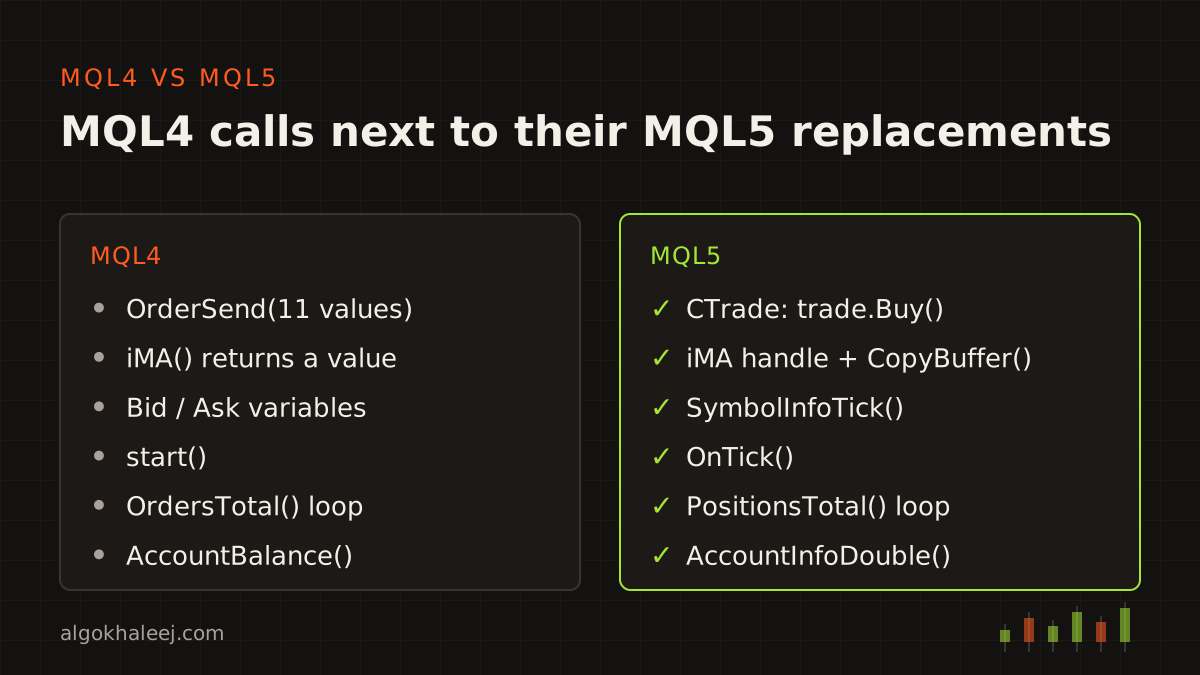
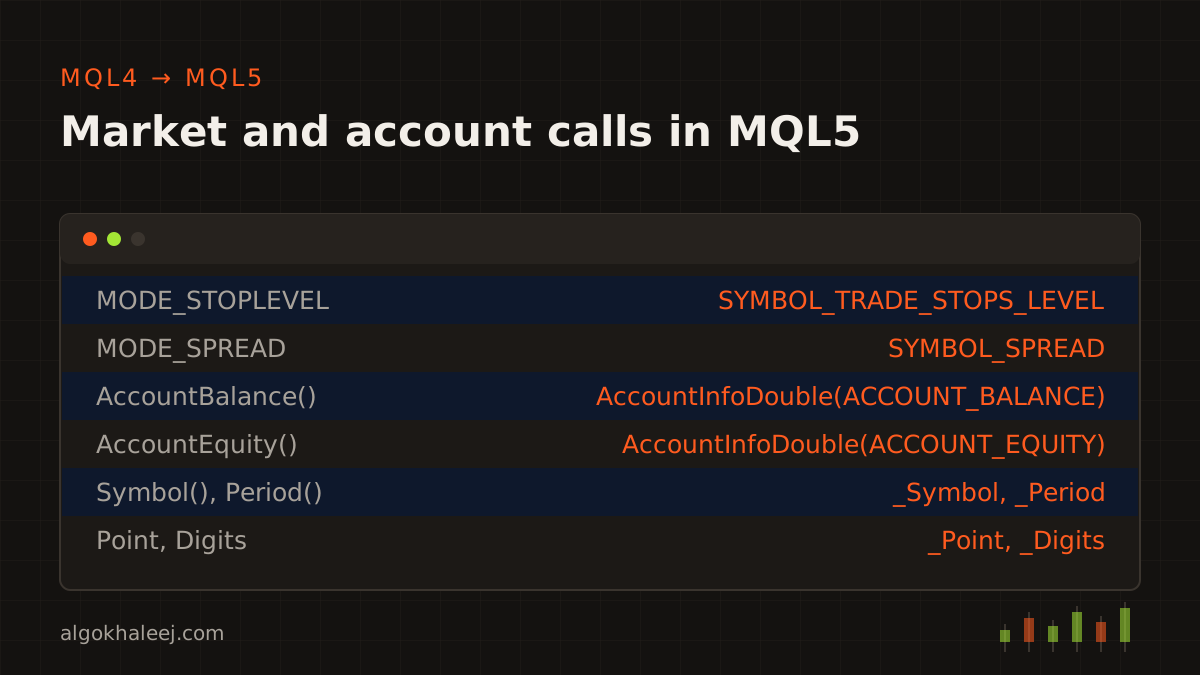
MQL5 reads symbol and account data through a few new functions. So each old call has a new match, as the panel below shows. The MQL5 docs list each name, so keep them open while you work.
Fix 7: Handle netting and hedging accounts
An MT4 account lets you hold many trades on one symbol. An MT5 account, however, can work in two ways. In netting mode, each symbol has one position, and a new trade adds to it or reduces it. In hedging mode, each trade stays a separate position, as in MT4.
So read the mode at start-up with AccountInfoInteger(ACCOUNT_MARGIN_MODE). Close logic and magic number filters differ between the two modes. If other traders will use your EA, test it on both account types.
Fix 8: Set the filling mode and read return codes
Error: Unsupported filling mode in the Journal tab
Many traders who convert MQL4 to MQL5 miss this step until a live order fails. Each broker accepts only certain filling modes: FOK, IOC or RETURN. If the EA sends the wrong one, the server rejects the order. So let CTrade pick a valid mode, then check the return code after each order:
trade.SetTypeFillingBySymbol(_Symbol);
if(!trade.Buy(lots, _Symbol, 0.0, sl, tp) || trade.ResultRetcode() != TRADE_RETCODE_DONE)
   Print("Order failed: ", trade.ResultRetcode(), " ", trade.ResultRetcodeDescription());
Also round prices to the symbol’s digits, and lots to its volume step. Otherwise, the server rejects values such as 0.033 lots on a 0.01 step.
Test the converted EA side by side
Once the code compiles, test it before you trust it. Run the MT4 and MT5 versions on the same symbol, timeframe and dates. Then compare the two trade lists: entries, exits and lots. Expect small gaps, because each platform uses its own data and spreads. A big gap, however, usually points to a logic bug.
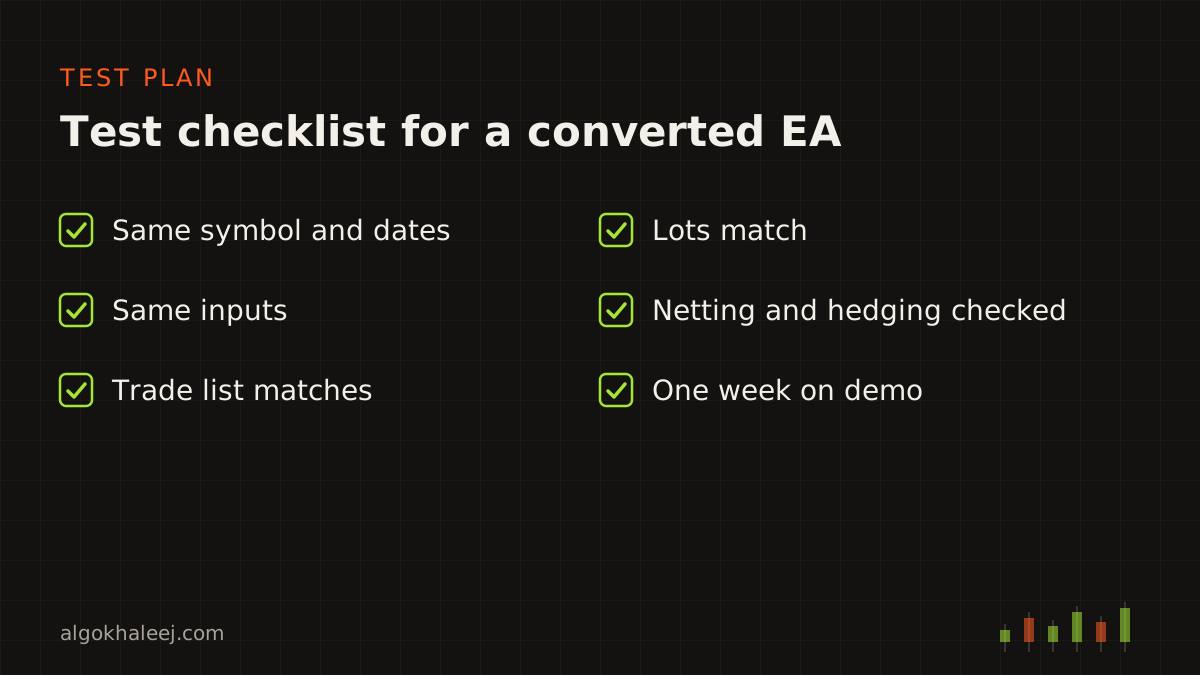
After that, forward test the MT5 version on a demo account for at least a week. Watch the Experts tab for errors, and check each order against your rules. Only then do you know that you managed to convert MQL4 to MQL5 without changing the strategy.
Convert it yourself or ask a developer?
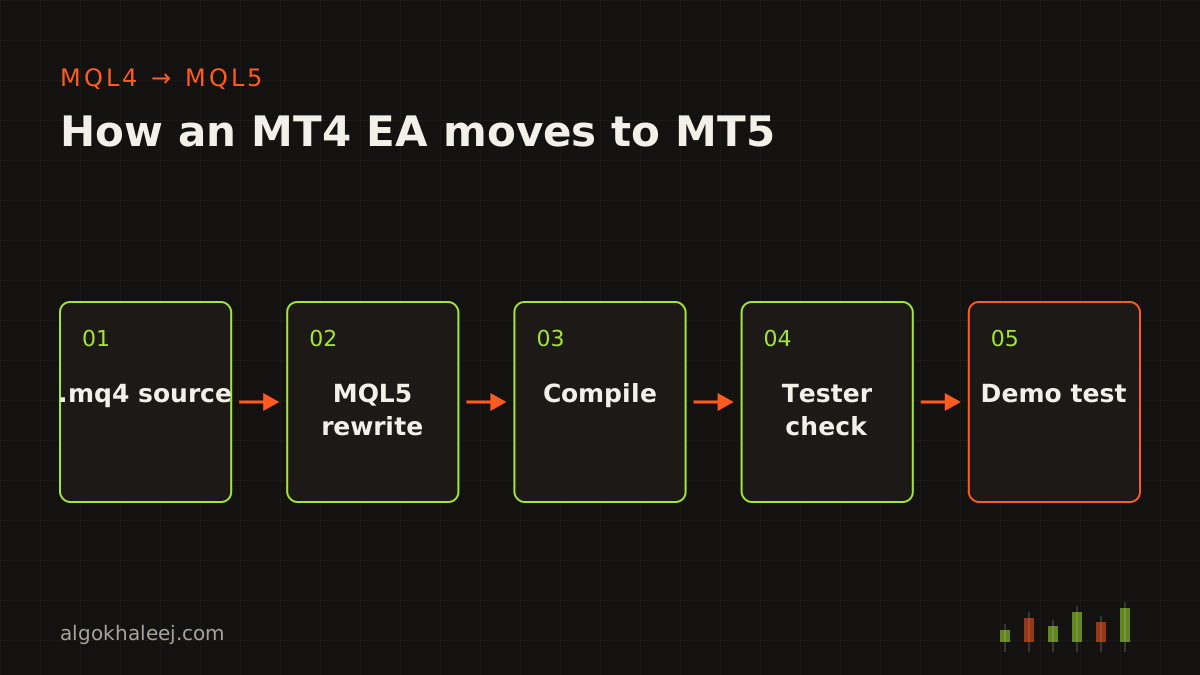
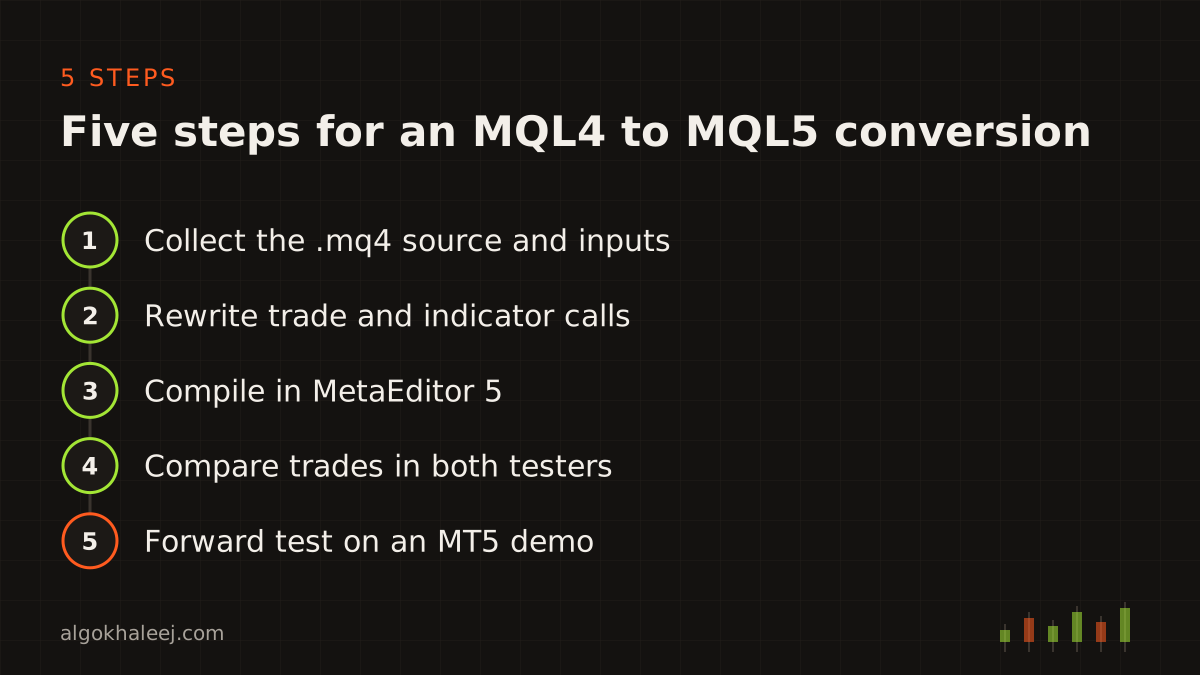
A small EA with one strategy may only need these eight fixes. However, panels, many symbols or custom indicators take longer. Each custom indicator also needs its own conversion first. A clean MQL4 to MQL5 conversion follows the five steps below.
Would you rather not convert MQL4 to MQL5 yourself? Our strategy conversion service handles MQL4 rewrites too. You test a demo build before the final payment. For new features, see MT5 EA development. Need an indicator as well? See custom MT5 indicators. For prices, check our pricing page.