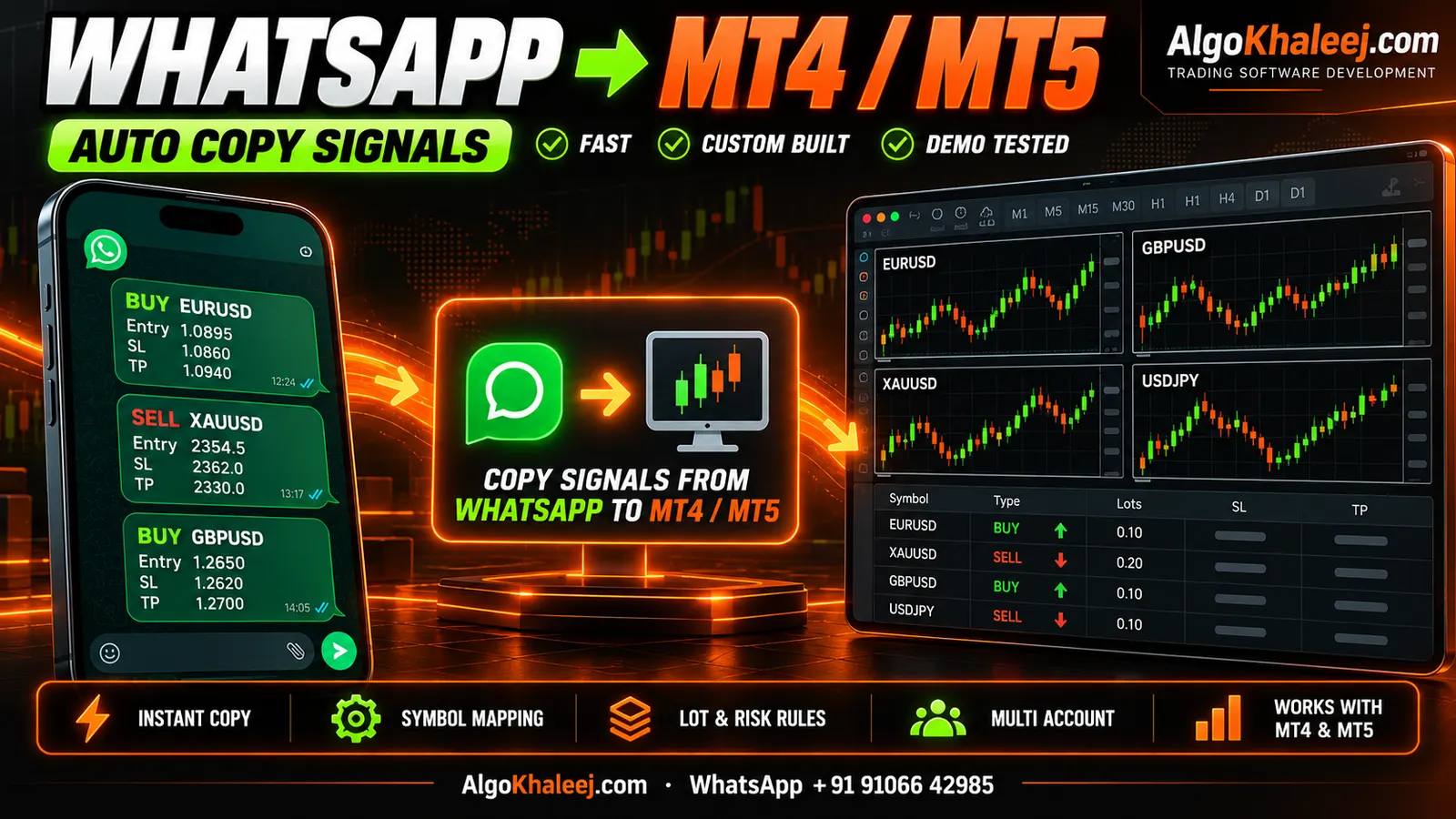
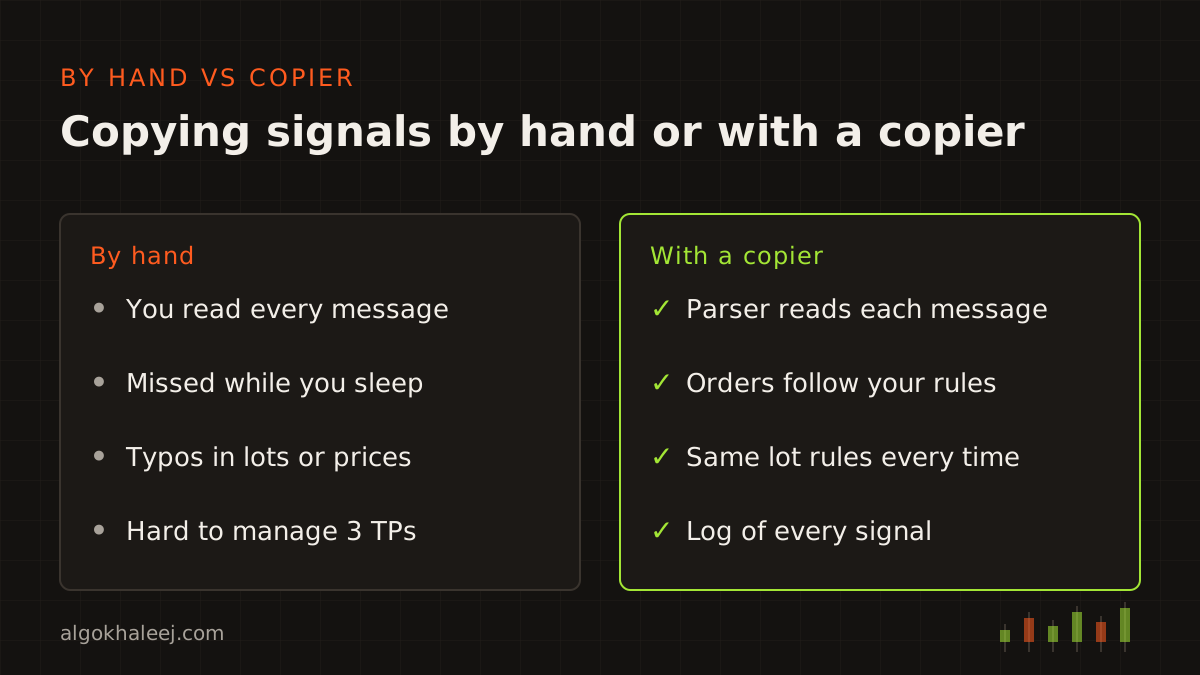
Many traders in the GCC get their trade ideas from a WhatsApp group. The trouble starts when a signal lands while you drive, work or sleep. By the time you open MT4, the price has often moved. So a copier takes over this part of the job. It reads each new message, turns it into an order and then applies your own lot and risk rules.
What it means to copy WhatsApp signals to MT4
A WhatsApp signal is just plain text. For example, a gold group might post this message:
GOLD BUY NOW 4015
SL 4005
TP1 4022
TP2 4030
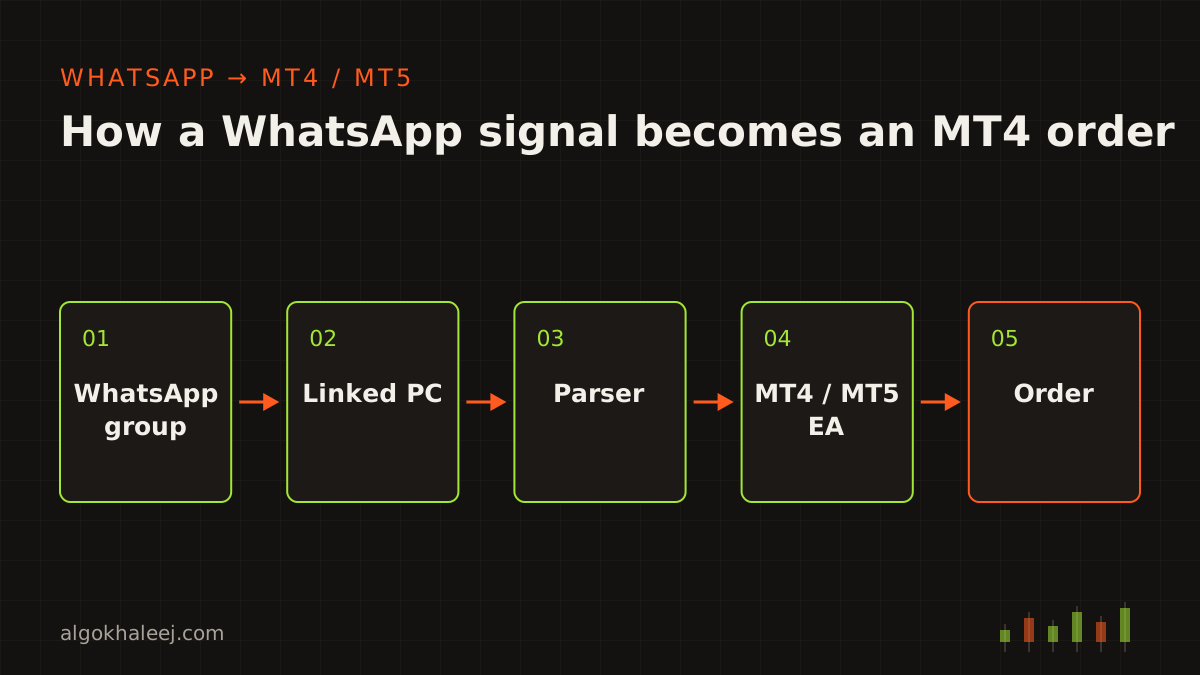
To copy WhatsApp signals to MT4, the software has three jobs. First, it reads the message the moment it arrives. Next, it pulls out the symbol, side, entry, SL and TP. Finally, an Expert Advisor (EA) inside MetaTrader checks your rules and sends the order. The same chain also works for MT5, and only the EA changes.
Your signals, your choice
AlgoKhaleej does not sell or send trading signals. You copy your own sources, such as a paid group you joined, a mentor’s chat or your own team’s alerts. We build the software, while you decide which messages it may act on.
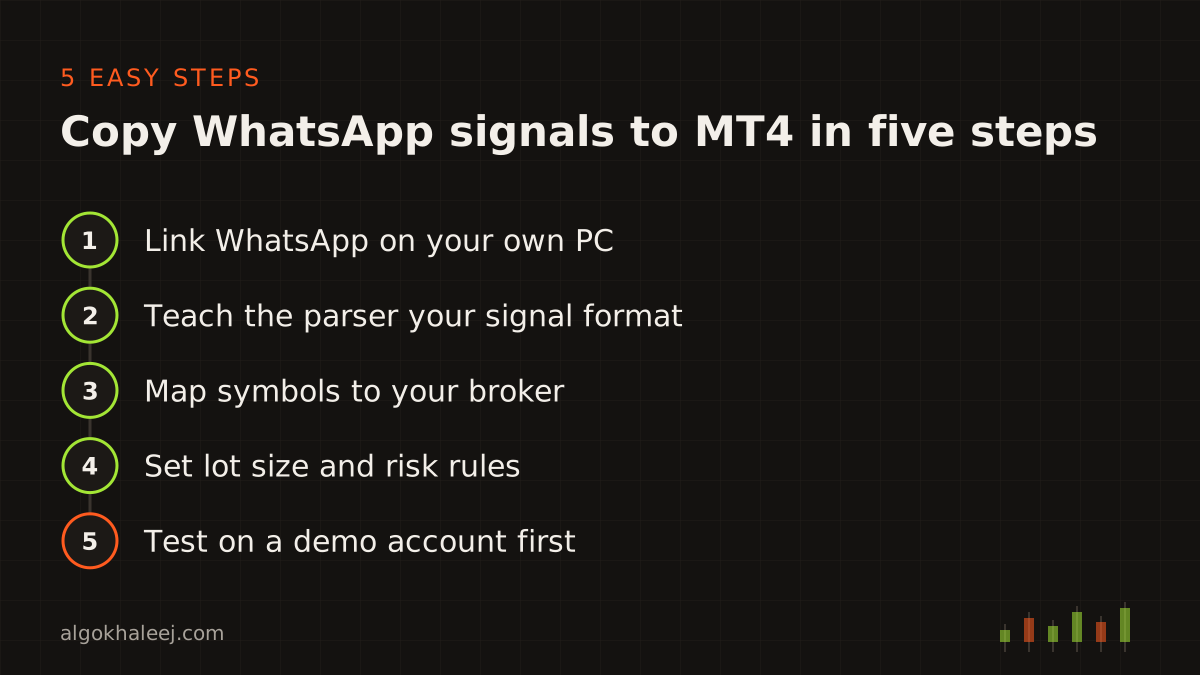
Step 1: Link WhatsApp on your own PC
WhatsApp offers no official API for reading a personal chat or group. The WhatsApp Business Platform serves companies that message their own customers, so it does not fit this job. Instead, a practical copier works through a linked device.
You link WhatsApp Desktop or WhatsApp Web on your Windows PC, just as you would to chat from a laptop. Then a small helper app watches the chats you pick and hands each new message to the EA. Because the helper runs on your own machine, your chats never pass through our servers. This way, you copy WhatsApp signals to MT4 without sharing your WhatsApp login with anyone.
Before you start, read WhatsApp’s rules on linked devices and automated use in the WhatsApp Help Center. Some unofficial tools automate WhatsApp Web in ways that break those rules. That is why we keep the helper simple. It reads the chats you choose, and it never sends, forwards or deletes anything.
Step 2: Teach the parser your signal format
Every group writes signals in its own style. For example, one admin posts “BUY GOLD NOW”, while another writes “XAUUSD long 4015-4018”. So the parser has one job: it turns this free text into clean order data. We build it from real messages you share with us, so it fits your group from day one.
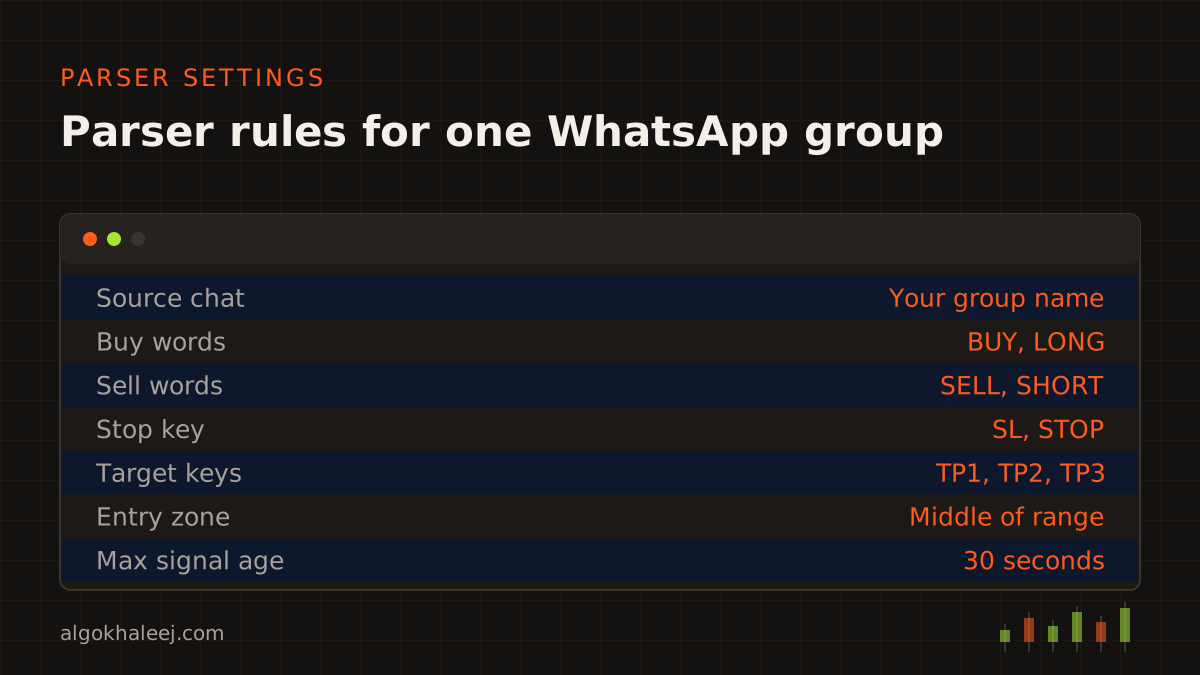
A good parser covers more than the first message. It should handle:
- market orders such as “BUY NOW” with no entry price,
- pending orders with one price or a zone like 4015–4018,
- a single SL plus two, three or more TPs,
- follow-up messages like “close half”, “move SL to entry” or “close all”,
- edited posts and replies, too,
- noise such as chat, emojis, ads and chart images.
When a message matches no rule, the copier skips it and writes a line in the log. So a joke or a chart never turns into a trade.
Step 3: Map symbols to your broker
Signal groups write “GOLD”, “XAU” or “XAUUSD”. However, your broker may list the same market as “XAUUSD.m”, “XAUUSDm” or “GOLD#”. So the copier keeps a symbol map that you fill in once. This step matters most when you copy WhatsApp signals to MT4 from several groups. Each group may name the same symbol in a different way.
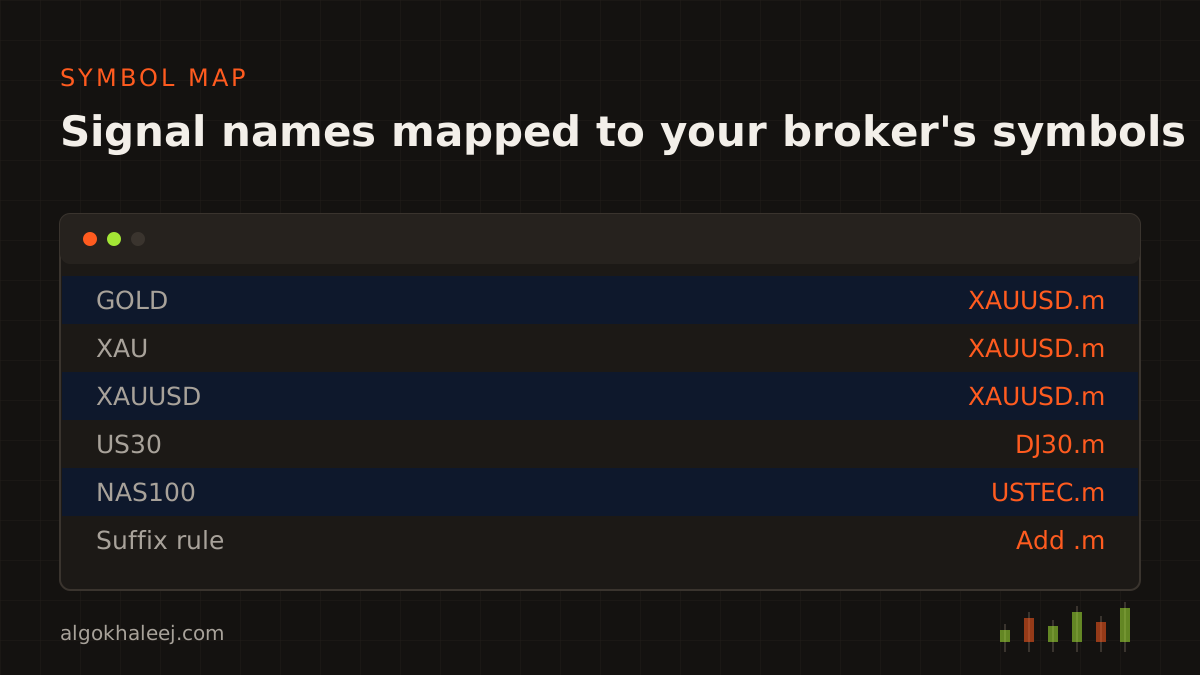
The map also handles prefixes and suffixes, so one rule can cover a whole set of symbols. In addition, the EA checks that each symbol exists in Market Watch before it trades. If a name is missing, the copier logs the problem instead of guessing.
Step 4: Set lot size and risk rules
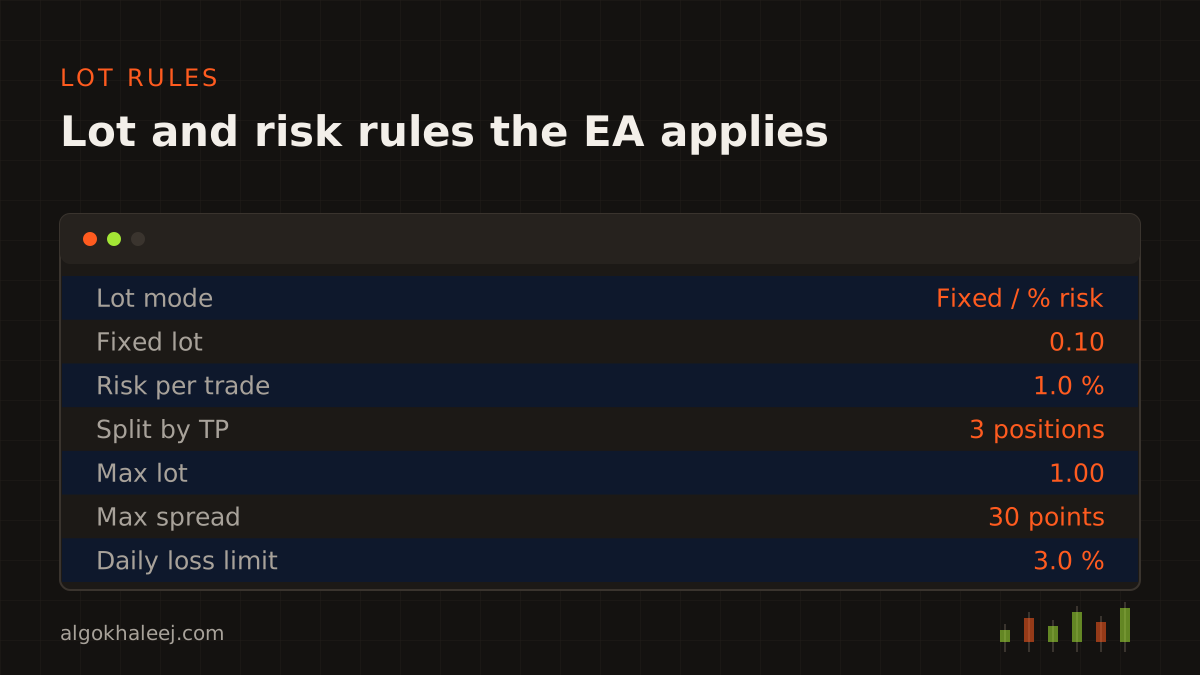
A signal rarely fits your account size. That is why the copier applies your rules, not the provider’s. When you copy WhatsApp signals to MT4, pick one of these lot setups:
- Fixed lot, for example 0.10 lots on every trade.
- Risk percent, where the EA sizes each trade from the SL distance.
- Split by TP, such as three positions of 0.03 lots for TP1, TP2 and TP3.
- Caps on max lot, open trades and spread.
- Daily loss limit, so copying pauses for the rest of the day once you reach it.
The EA also respects your broker’s minimum lot, lot step and stop level. So a 0.033 lot becomes 0.03 when the lot step is 0.01. If you trade a funded account, add the firm’s limits as hard rules too. Our prop firm risk manager EA page explains daily and overall drawdown guards.
Step 5: Test on a demo account first
Testing is the one step you should never skip when you copy WhatsApp signals to MT4. So run the copier on a demo account for one or two weeks before you go live. During that time, compare each order with the message behind it. Check the symbol, the side, the lots, the SL and every TP.
Next, test the odd cases on purpose. Set up a small test group with a friend or a second phone. Then post a typo, a signal with no SL and an edited TP. Watch how the copier reacts to each one, and read the log line it writes.
![[SCREENSHOT: MT4 Experts tab with a parsed WhatsApp signal and its order on a demo account]](/img/en/blog/copy-whatsapp-signals-to-mt4-mt5/screenshot.svg)
Once every case works, move to a live account with small lots. Keep an eye on the log for the first few days, too.
MT4 or MT5: what changes
The WhatsApp side stays the same for both platforms. Only the EA changes. We write it in MQL4 for MT4 and MQL5 for MT5, because each language handles orders its own way. For example, an MT5 account can use netting or hedging, so the EA must know which mode your broker uses.
Your symbol map and lot rules carry over between the two. As a result, switching later takes little work. Do you also follow Telegram channels? Then read our guide to copy Telegram signals to MT5, since the same parser ideas apply.
Common problems and simple fixes
Most issues show up in the first week, so each one below comes with a quick fix:
- No trade after a signal: first check that AutoTrading (MT4) or Algo Trading (MT5) is on.
- Wrong symbol: add the missing name to your symbol map.
- Late entries: set a max signal age, so the copier skips old messages after a reconnect.
- Double trades: turn on the duplicate check, because some admins post the same signal twice.
- Logged out: WhatsApp can log out a linked device, for example when your phone stays offline for a long time. Then scan the QR code again.
Get a copier built around your rules
You can build this chain yourself, or we can build a tool to copy WhatsApp signals to MT4 for you. Our Telegram signal copier for MT5 service also covers WhatsApp and Discord sources, on MT4 or MT5. If you need to copy trades between your own accounts instead, see MT5 trade copier development. In every project, you test a trial build on your demo account before the final payment. Typical prices sit on our expert advisor development cost page.