Who a TradingView to MT5 bridge is for
TradingView is where many traders chart, test and set alerts. Yet their account often sits with an MT5 broker. A bridge joins the two, and it suits you when you:
- build strategies in Pine Script but trade through an MT5 account,
- get alerts on your phone and miss entries while you are busy,
- run alerts on many symbols and want one place that executes them,
- want the same alerts on MT4 as well as MT5.
Some traders call this a TradingView to MT5 connector or a webhook bridge. Either way, the idea stays simple: your alert goes out, and your terminal acts on it.
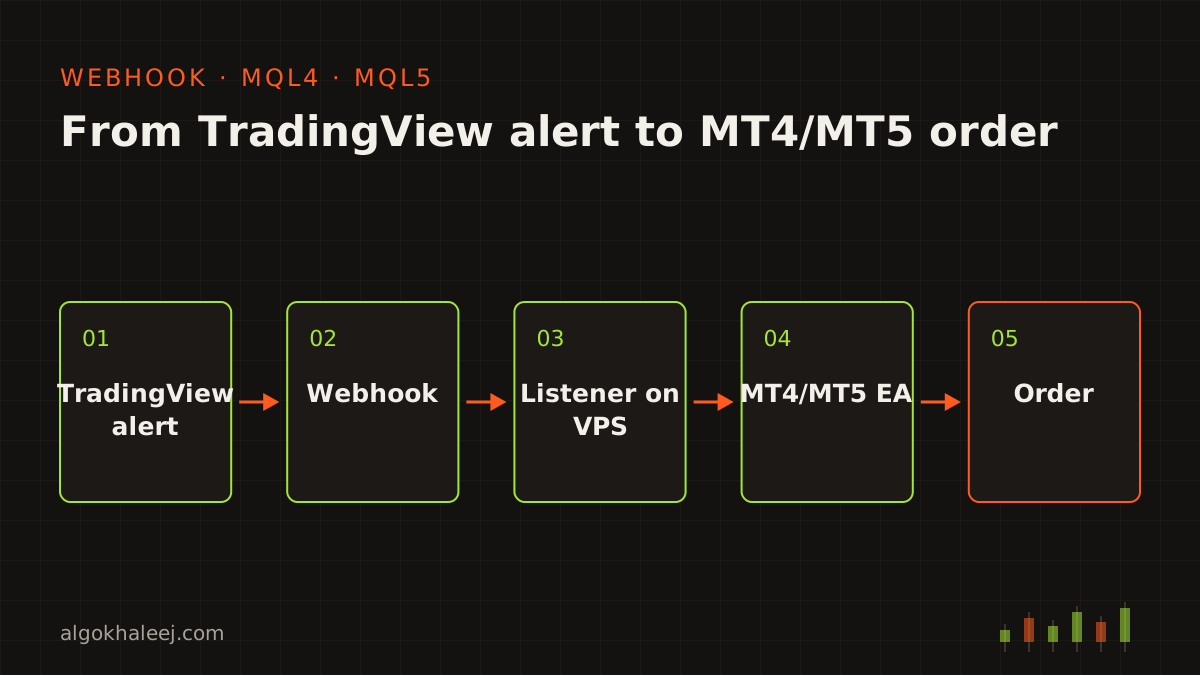
From alert to order in five steps
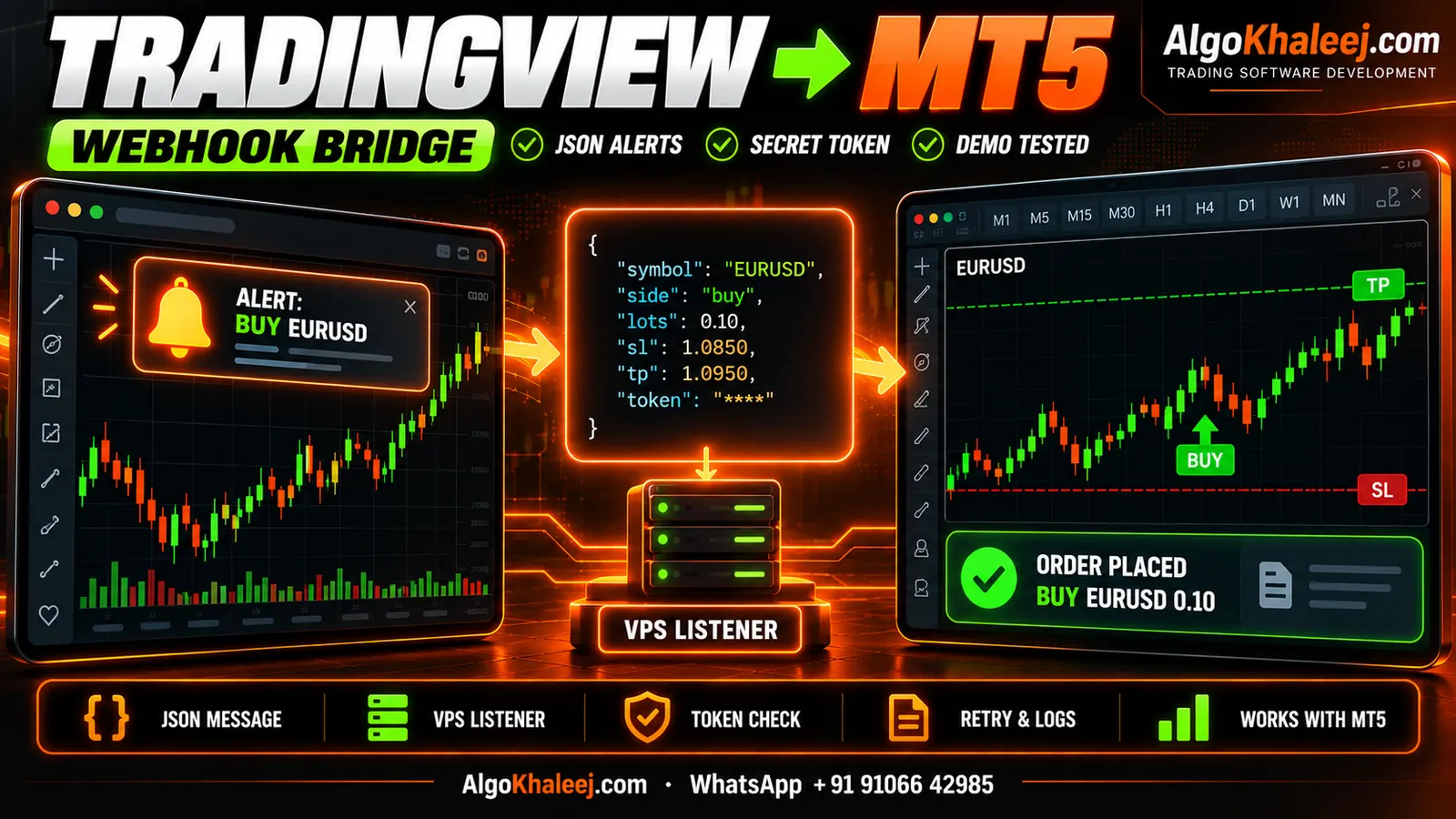
A TradingView to MT5 bridge has three parts: TradingView, a small listener and an EA in your terminal. Here is what happens each time an alert fires.
1. Your alert fires on TradingView
You set the alert on an indicator, a strategy or a drawing, as usual. The only change is the webhook box. It holds the listener’s URL, while the message holds a short JSON order.
2. TradingView sends a webhook
When the condition triggers, TradingView posts your message to that URL. It waits only three seconds for a reply. So the listener answers at once and does the real work afterwards.
3. The listener checks and queues it
The listener is a small program on a VPS or a cloud server. First, it checks the secret token and drops anything without it. Then it reads the JSON, logs the alert with its arrival time and adds the order to a queue.
4. Your MT5 EA picks it up
An EA on one MT5 chart asks the listener for new orders about once a second. When the EA and the listener share a VPS, they can swap orders through a local file instead. During setup, you add the listener’s address to the allowed URLs in MT5’s settings.
5. The order opens with your rules
Finally, the EA maps the symbol and works out the lot size from your risk rule. Then it sends the order with your SL and TP. It also writes the result to its own log, so you can trace every alert to its order.
The alert message format
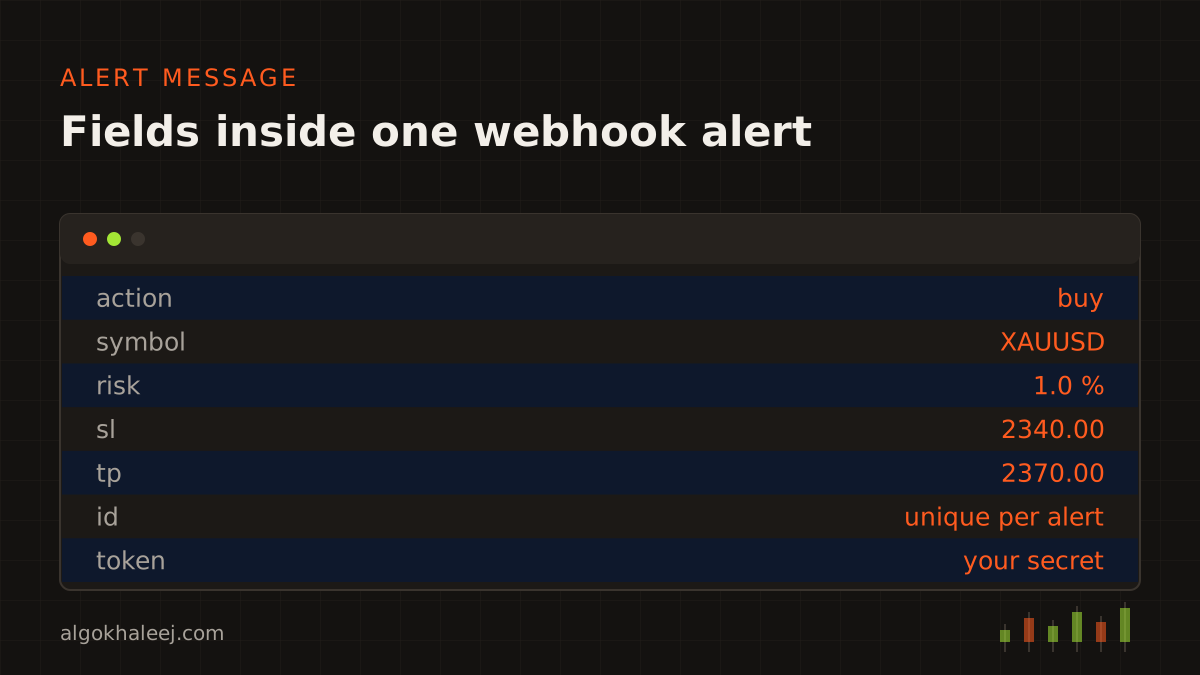
Each alert carries a short JSON message. Here is a typical one for a gold buy:
{"action": "buy", "symbol": "{{ticker}}", "risk": 1.0, "sl": 2340.0, "tp": 2370.0, "id": "{{timenow}}", "token": "your-secret"}Every field has one job:
- action: buy, sell, close or close half,
- symbol: the TradingView ticker, which the EA maps to your broker’s name,
- risk or lots: the size, as a percent of balance or a fixed lot,
- sl and tp: prices, or distances in points if you prefer,
- id: a unique value, so a repeat never opens a second trade,
- token: a shared secret that the listener checks first.
The token is not your broker password, and it never should be. TradingView itself warns against putting passwords in webhook messages. For extra safety, the listener can also accept requests only from TradingView’s published IP addresses.
If your alerts come from a Pine Script strategy, we build this JSON inside the code with alert_message. Then each entry and exit sends the right message without manual edits.
Symbol mapping between TradingView and your broker
TradingView and your broker rarely use the same names. Gold may be XAUUSD on TradingView but XAUUSD.m or GOLD in MT5. Index names differ even more. So the EA keeps a small mapping table that you can edit at any time. Before each order, it also checks the lot step, the minimum stop distance and whether the market is open.
When an alert fails: logs, retries and duplicates
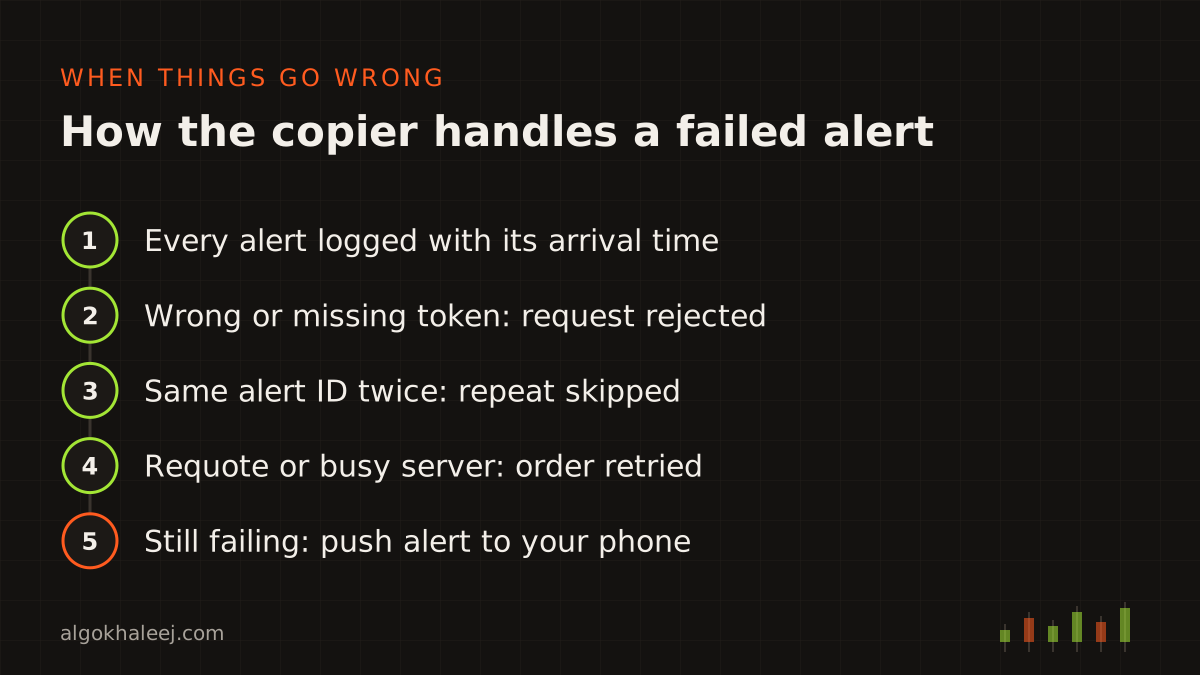
Webhooks usually arrive, but not always. TradingView notes that some may fail to reach their URL, and its alert log shows a webhook status for each one. So every TradingView to MT5 bridge we build plans for failure from day one:
- Logs: the listener and the EA both record every alert, order and error with a timestamp.
- Retries: when MT5 rejects an order for a requote or a busy server, the EA tries again.
- Duplicate guard: each alert ID runs once, so a repeated alert never doubles your position.
- Stale alerts: anything older than your limit, for example 30 seconds, never opens a late trade.
- A note to you: if an order still fails, the EA sends a push alert so you can act by hand.
The bridge cannot replay a webhook that never arrived. That is why the logs matter: together with TradingView’s alert log, they show exactly where a message stopped.
Latency: seconds, not instant
A TradingView to MT5 bridge is fast, but it is not instant. TradingView needs a moment to check the alert and send it. Then the listener, the EA and your broker each add a small delay. In normal conditions, the trip from alert to order usually takes a few seconds. During busy news, alerts can arrive later, and price can move in the meantime. For this reason, the EA compares the current price with the alert price. If the gap is too wide, it skips the trade.
What you need before you start
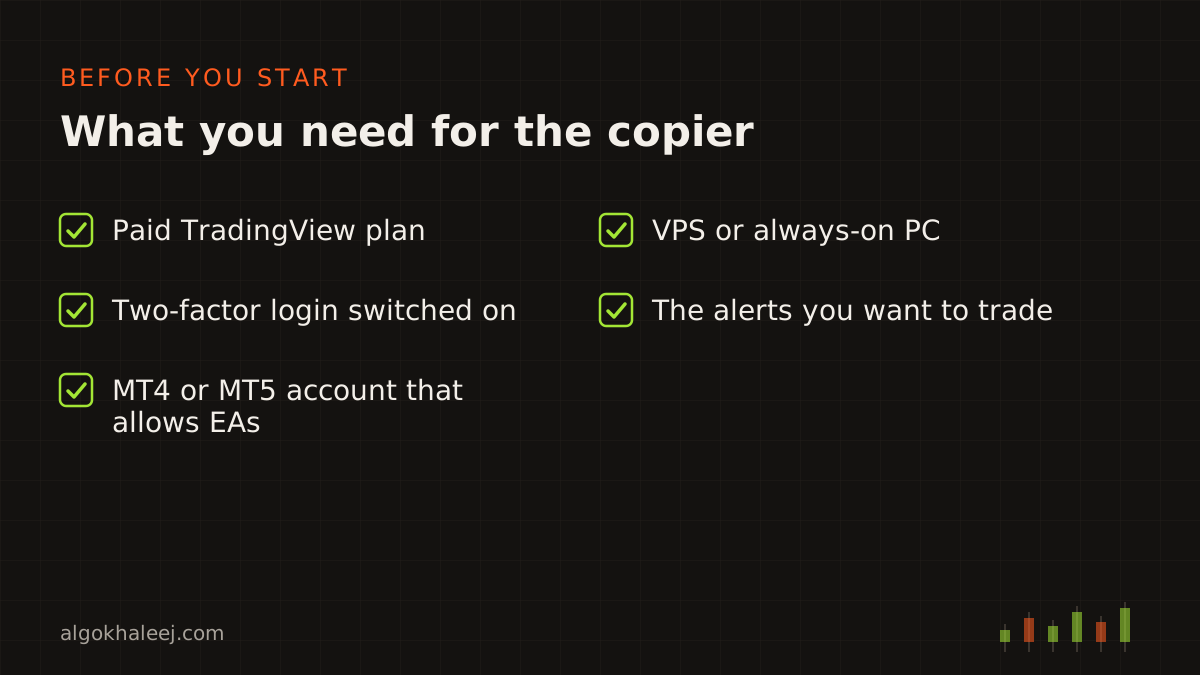
Four things must be in place before the first test alert:
- a paid TradingView plan, because webhook alerts are not part of the free plan,
- two-factor login switched on in your TradingView account,
- an MT5 account with a broker that allows EAs,
- a VPS or a PC that stays on while you trade.
Also check your broker’s terms and your local regulations before you trade live. Prefer MT4? The same listener can feed an MQL4 EA too, so one set of alerts can drive both platforms.
How we build your TradingView to MT5 bridge
We follow our usual four steps, adapted to webhooks.
Rules. You list your alerts, symbols and risk rules. Together we settle the exact JSON for each alert, so the EA never has to guess.
Code. Next, we write the listener and the MQL5 EA. Then we set up the webhook URL with you on your VPS.
Backtest on demo. A bridge has no history to replay, so this step is a live demo test. You fire real alerts from TradingView into a demo account. After that, you compare each alert with the order it opened: symbol, lot, SL, TP and time.
Deliver. Finally, you receive the files, the alert templates and a setup call that connects your real alerts.
What you receive
Your TradingView to MT5 bridge arrives as a complete kit:
- the compiled .ex5 EA, or an .ex4 file for MT4,
- the listener program with its setup notes,
- alert templates for buy, sell, close and close half,
- a settings guide for symbol mapping, risk and delays,
- a setup walkthrough on your own VPS,
- [X] days of fixes after delivery,
- source code for both parts, if you chose that option.
Safe delivery
Your TradingView to MT5 bridge never touches a live account until you say so. The trial EA refuses any account except your demo, and it can carry an expiry date. Once enough test alerts have turned into the right orders, you pay the balance. Then the unlocked EA replaces the trial, and the source code follows if it was part of your order.
Pricing for a TradingView to MT5 bridge
A one-symbol bridge with buy, sell and close actions costs $150. Multi-symbol setups, partial closes and MT4 plus MT5 versions cost more. Hosting is separate: you rent the VPS in your own name, so you keep control of it. Our expert advisor development cost page shows typical ranges.
If you still need the strategy itself, our Pine Script developer service writes it with bridge-ready alerts. For a longer walkthrough, read our guide on TradingView alerts to MT5 webhook setups. TradingView also explains its own webhook rules in the official webhooks article.