Why NRIs in the Gulf ask for this
Most Indian stock channels post during Indian market hours. For an NRI in Dubai or Riyadh, that means calls land during the morning commute or the first meeting at work. By the time you open the broker app, the premium has often moved.
The NRIs who contact us usually share the same list:
- two or three channels to follow, each with its own style,
- more than one account, sometimes held by family members,
- a fixed size per call, whatever the channel says,
- trades closed before the broker’s own square-off.
We don’t run a channel or give tips. Instead, the app copies only the channels you switch on, into accounts you own, so each order stays your own decision.
Futures and options (F&O) are high risk, and a fast move can cost more than you planned. Check that your broker allows this product and API trading on your account, and that it is allowed where you live.
NSE and BSE hours in UAE and Saudi time
India runs on IST, which is UTC+5:30. The UAE is UTC+4 and Saudi Arabia is UTC+3, so the market opens one and a half hours earlier on your clock in Dubai and two and a half hours earlier in Riyadh.
The NSE cash market runs 09:15 to 15:30 India time. In the UAE that is 07:45 to 14:00, and in Saudi Arabia it is 06:45 to 13:00. However, the app’s own trading window ends at 15:15 IST by default, which leaves a margin before the close. You can change both ends of that window.

What the copier trades for your NRI trading account UAE side
The app covers three kinds of call:
- Index options on NIFTY, BANKNIFTY, FINNIFTY, MIDCPNIFTY and SENSEX, at the expiry the post names or the nearest one.
- Stock options, wherever your broker lists them.
- NSE or BSE cash shares, bought or sold in a number of shares.
Futures calls are read but refused for now. Also, forex and MetaTrader are outside this app. For gold or currency calls, the Telegram to MT4/MT5 copier is the right fit instead.
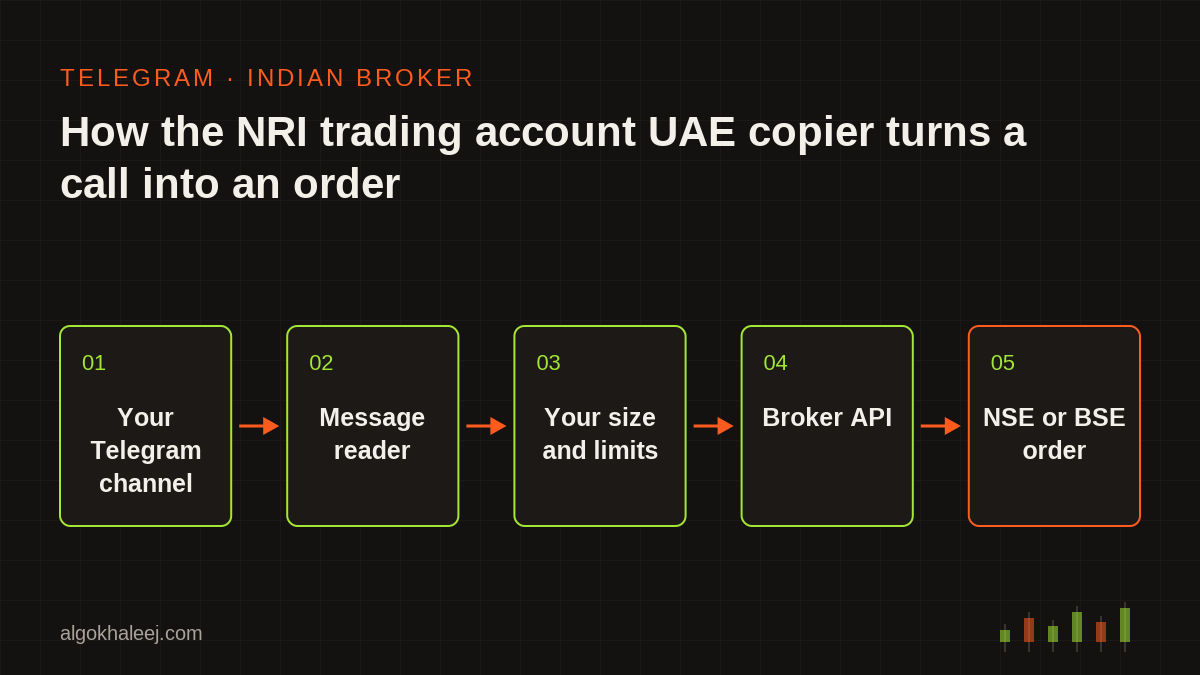
It connects to ten brokers: Zerodha, Angel One, Upstox, Fyers, Dhan, Groww, ICICI Direct, 5paisa, Kotak Neo and Alice Blue. One call can go to several accounts at once, each with its own keys and rules. If one broker rejects an order, the other accounts still trade.
How a Telegram call becomes an order
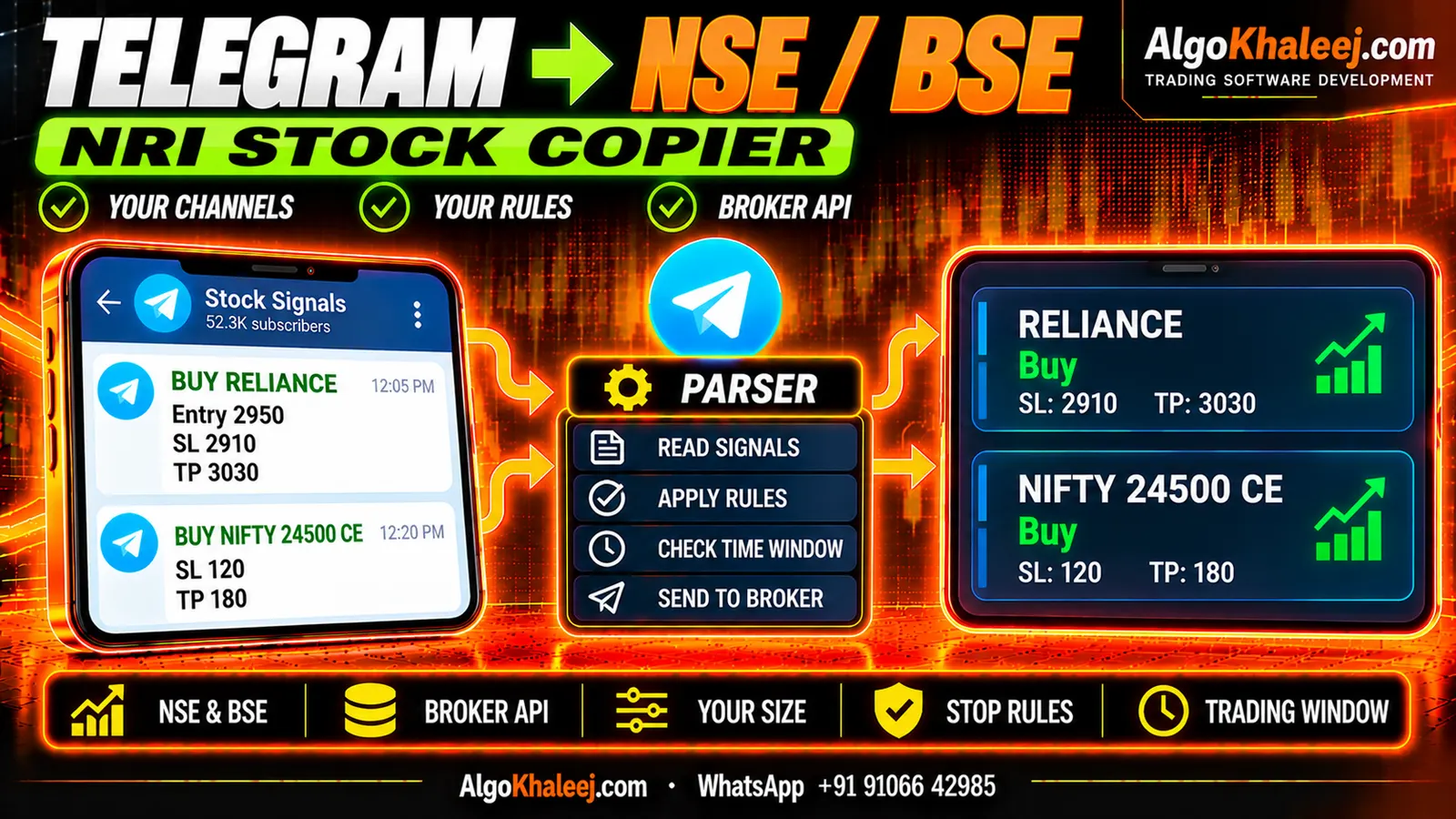
First, you sign in to Telegram with your phone number and code, as a normal user. Because it is not a bot, the app can read any channel or group you have already joined. Turning a channel on never replays its old posts.
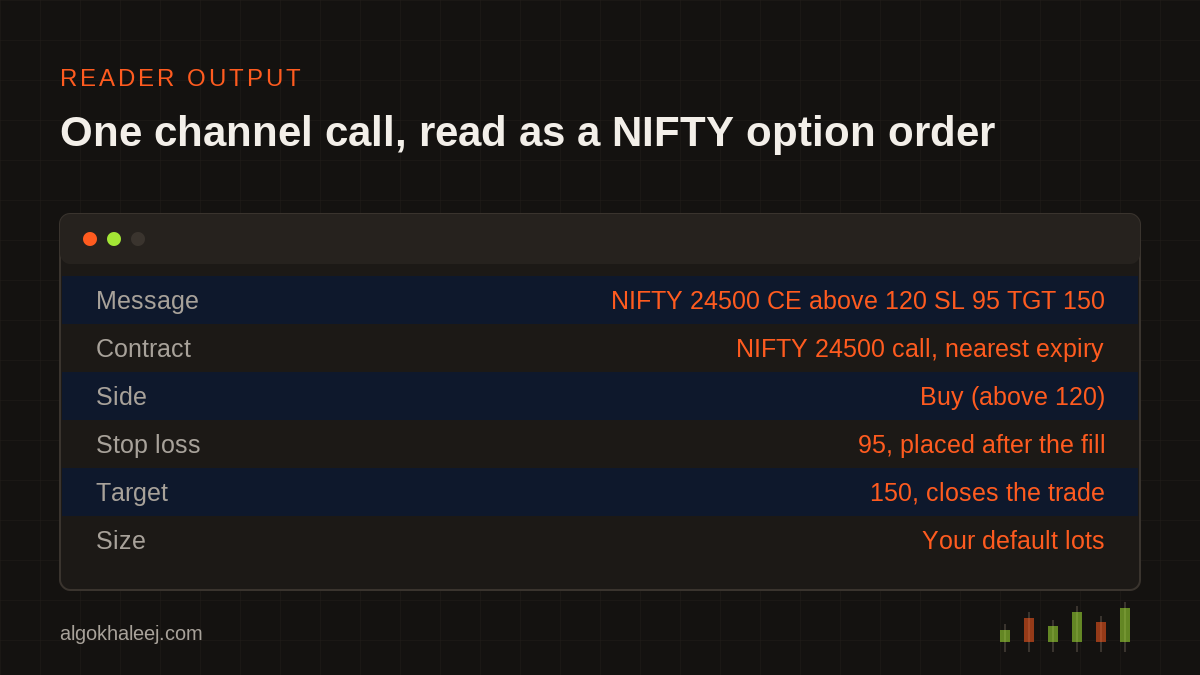
Here is a typical options call:
NIFTY 24500 CE above 120
SL 95
TGT 150
Next, an AI model reads the message, using Groq, OpenAI or DeepSeek with your own key. Once the app has learned how a channel writes its calls, it handles later posts in that style on your PC with no AI call. Then the app checks the strike against the index’s real strike step and refuses an impossible premium. If the post names a past expiry, it switches to the nearest live one.
The word “above” on an option counts as a buy, and targets written as TRGT or TG are recognised. Before you trust a channel, paste a few of its posts into the Parser Lab, which shows the order it would build without sending anything.
Size, stops and exits stay in your hands
The channel decides the direction, and you decide the size. A call with no size uses your default lots, while a lot ceiling caps any oversized call. You can also scale size per channel and per account, or pin a channel to chosen accounts only.
Each account can carry its own limits, so one NRI trading account UAE family members share never borrows another’s settings:
- a maximum number of orders per day,
- rupee caps per order and on open positions,
- one slippage guard that skips an entry once price has run too far from the call.
Auto quantity is another option. Here you set a risk amount, and the app sizes the trade from the live price and the stop. For example, with a 2,000 rupee risk and a stop 25 points away, it buys 80 units.
After the entry fills, the stop goes to the broker as a real SL or SL-M order, so you see it in the normal order book. Breakeven and trailing stops are optional, and a stop only ever moves in your favour. By default, the trade closes at the call’s first target. Exit posts such as “SL hit”, “square off” or “exit all” close the real position in each account. Finally, a square-off time closes everything before the broker’s own cut-off.
Broker logins and the morning routine
You create the API app in your broker’s developer console and enter the keys yourself. The keys stay on your PC in a sealed file and never reach the journal.
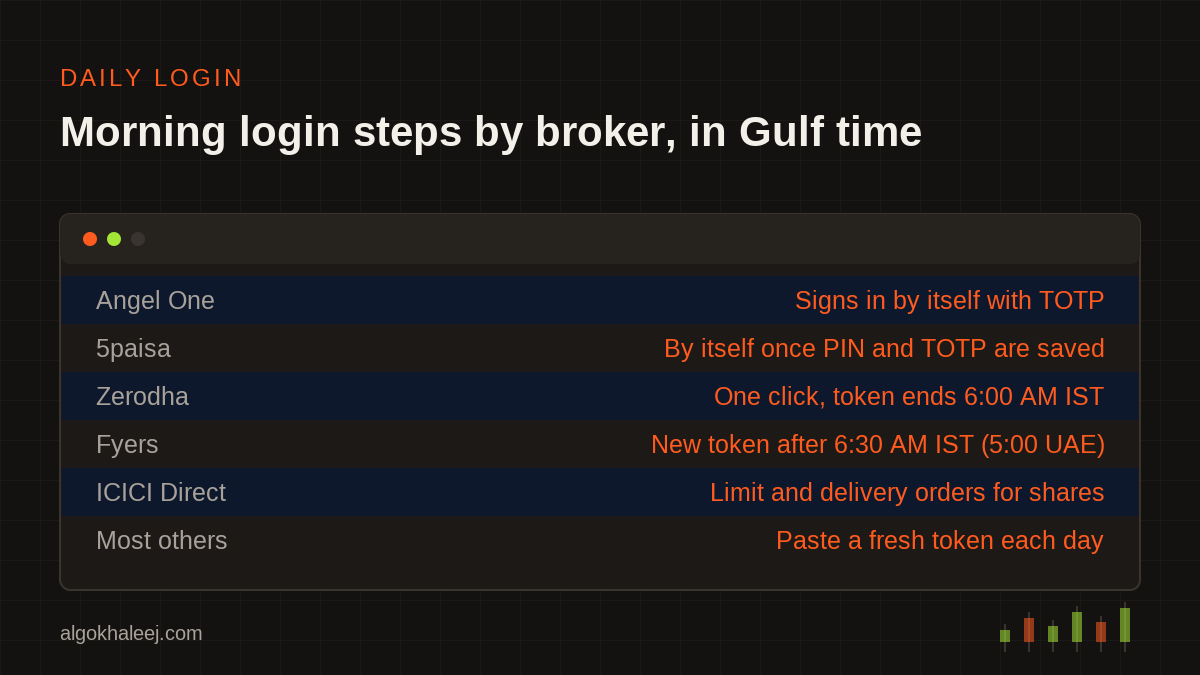
Daily login differs by broker, so plan your morning around it:
- Angel One signs in by itself, since the app makes TOTP codes from your 2FA secret.
- 5paisa also signs in by itself once you save its PIN and TOTP secret.
- Zerodha needs one click on Log in with Kite, because its token ends at 6:00 AM IST the next day.
- Fyers tokens expire at 6:30 AM IST daily, which is 5:00 AM in the UAE and 4:00 AM in Saudi Arabia, so make the new one after that.
- Most other brokers issue a token for one trading day, which you paste in each morning.
ICICI Direct needs extra care. Its Breeze API takes no market orders, only limit orders. It also refuses intraday (margin) orders for shares, so set that account’s product to delivery for stocks.
Your broker will also ask for a static IP for API orders. The Dashboard shows the IP your broker sees, with a copy button, and warns you if it changes.
Requirements and setup with our team
You need Windows 10 or 11 (64-bit), a Telegram account, an API app with your broker and an AI provider key. Any API or AI fees go to those providers. The PC must stay on during market hours, although a Windows VPS with a fixed IP can run it while your laptop is closed.
Many clients run their NRI trading account UAE copier on a VPS for this reason. We usually set it up with you in this order:
- Install the app and sign in to Telegram.
- Add your broker keys and press Test connection.
- Register the static IP with your broker.
- Run real channel posts through the Parser Lab.
- Trade in Paper mode for a week, then switch an account to live.
Paper mode uses live broker prices but fills orders inside the app. A kill switch blocks every order at once, and the Signal Feed lists each refusal with a plain reason.
We are a remote team in India with no Gulf office, and we guide each step online. Pricing is on enquiry, so tell us your brokers and channels. For a custom strategy rather than channel calls, see broker API trading automation. The Tools page lists every ready app, and our trading software FAQ answers common questions.