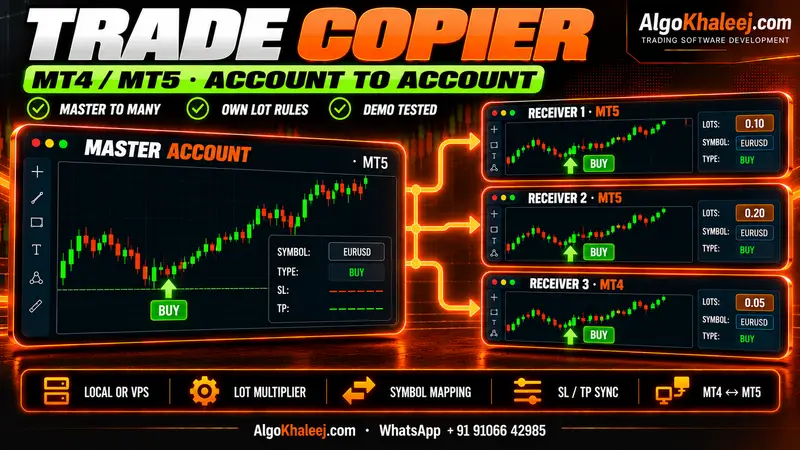

Who this app is for
Shark Exchange is an Indian futures exchange, and its contracts, such as BTCINR and ETHINR, are quoted in rupees. Many people who ask us about it are Indians living in Dubai, Abu Dhabi, Riyadh or Jeddah. They trade one main account and also manage a few more, for family members or for a second plan. Placing every order again by hand on each account is slow, and by the time the third or fourth account is done, sizes have drifted and the exit has often come late.
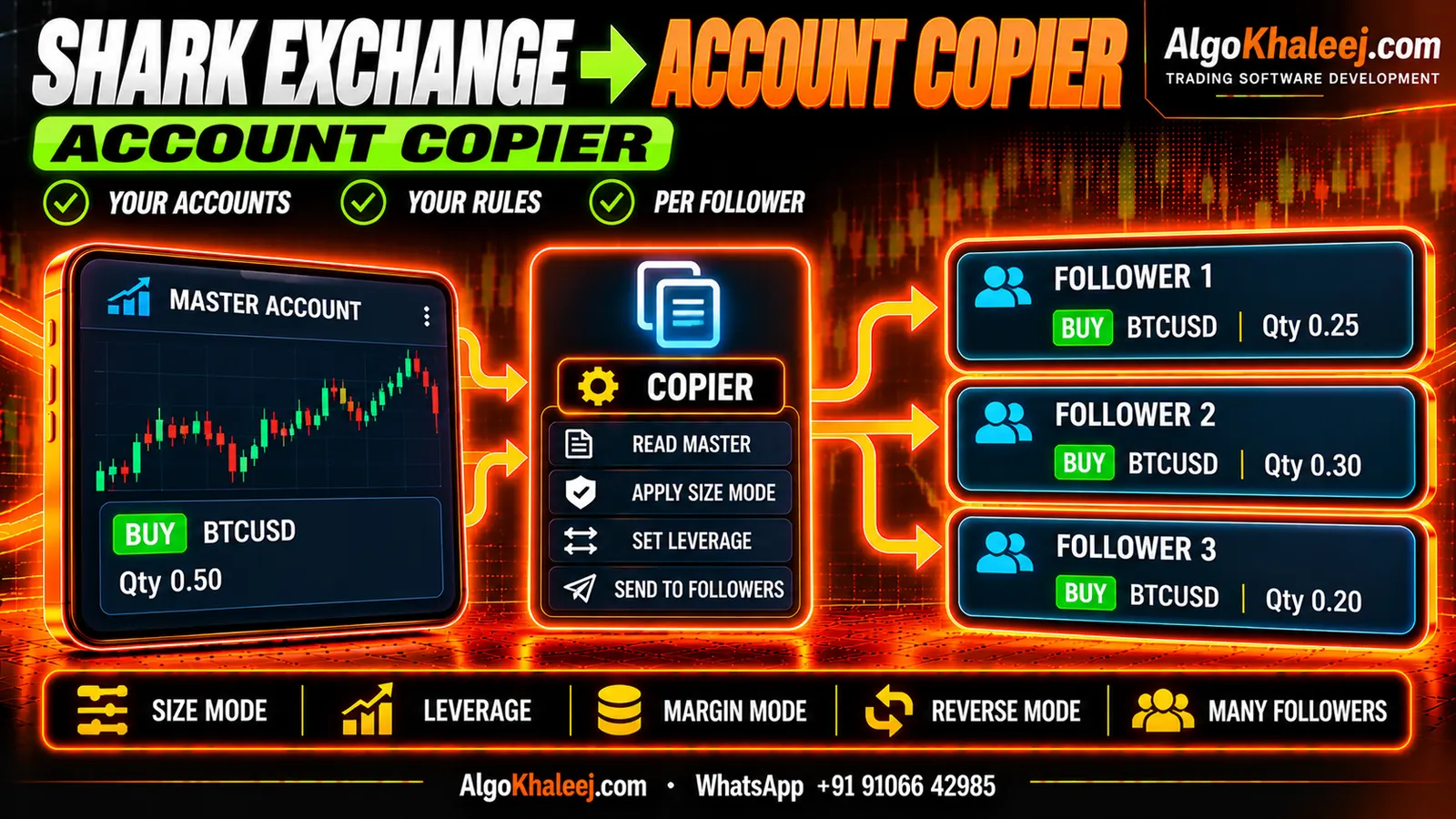
The app does one job. It watches a master account and repeats its trades on follower accounts. It does not read Telegram channels or TradingView alerts, and it copies only between Shark Exchange accounts. So if your trades start as signals, a different tool fits better, and our Tools page lists those.
Keep in mind that a copier repeats losing trades just as faithfully as winning ones, on every follower.
Futures and leveraged products are high risk. Check that Shark Exchange and the product you trade are allowed where you live.
How the Shark Exchange copier reads the master
By default, the app reads the master’s open positions and open orders every 2 seconds. You can lower that to 1 second, the fastest the exchange’s API limits allow. When nothing has changed since the last check, nothing is sent. Shark Exchange’s API docs set those limits: 20 order placements per second, 30 cancellations per minute and 60 calls per minute for most other endpoints. The app keeps each account inside them.
Every active follower then gets the update at the same moment, over its own connection. A slow reply from one account therefore does not hold up the rest.
These master actions are copied:
- opening a position, adding to it, closing part of it or closing all of it,
- a flip from LONG to SHORT or back, which closes the follower first and then opens the other way,
- placing, editing or deleting LIMIT, STOP_MARKET and STOP_LIMIT orders,
- TP and SL levels, when Copy TP / SL is on for that follower.
Closes and reductions go to followers as reduce-only market orders. The exchange docs describe reduceOnly as a flag that lets an order only shrink a position. As a result, a close can never open a fresh trade the other way on a follower.
What the app leaves alone
Two limits keep the copier away from trades it should not touch. First, positions and orders already open on the master when you press Start engine are not copied. Only trades made after that moment go out. Second, the app never closes a follower position it did not open. For example, if a follower already held a BTCINR position from your own manual trading before the copier first traded that contract, the app leaves that position exactly as it is.
Also, the engine does not start by itself when you reopen the app. You press Start engine each time, so a restart never sends orders you did not expect.
Size modes for each follower
Each follower picks one of four size modes. Here is what each one does when the master goes LONG 0.010 BTCINR:
| Mode | Follower size |
|---|---|
| Same as master | Copies the master quantity, so 0.010 |
| Multiplier (default) | Master quantity times your value of 0.5, so 0.005 |
| Fixed qty | Your set size, for example 0.002, whatever the master trades |
| Balance ratio | Master quantity times follower balance over master balance, so 0.005 |

In the balance ratio example, the master holds Rs 1,00,000 and the follower Rs 50,000, so the follower trades half. The app reads both balances when the engine starts, not on every trade.
Adds and partial closes then keep each follower at its share of the master position. The app rounds every size to the exchange’s size step. When a size falls below the contract minimum, that follower skips the trade.
Margin and limits per follower
Next to its size mode, a follower carries these settings:
- Leverage that follows the master, or a fixed figure such as 5x.
- Margin mode, ISOLATED or CROSS.
- Max qty, a cap on that follower’s position, for example 0.003.
- A symbols filter, such as BTCINR,ETHINR, so the follower trades only listed contracts.
- Reverse mode, covered below.
- An on and off switch.
Shark Exchange stores these first two settings per contract. Its docs also say a change applies to orders placed after it, not before.
Reverse mode
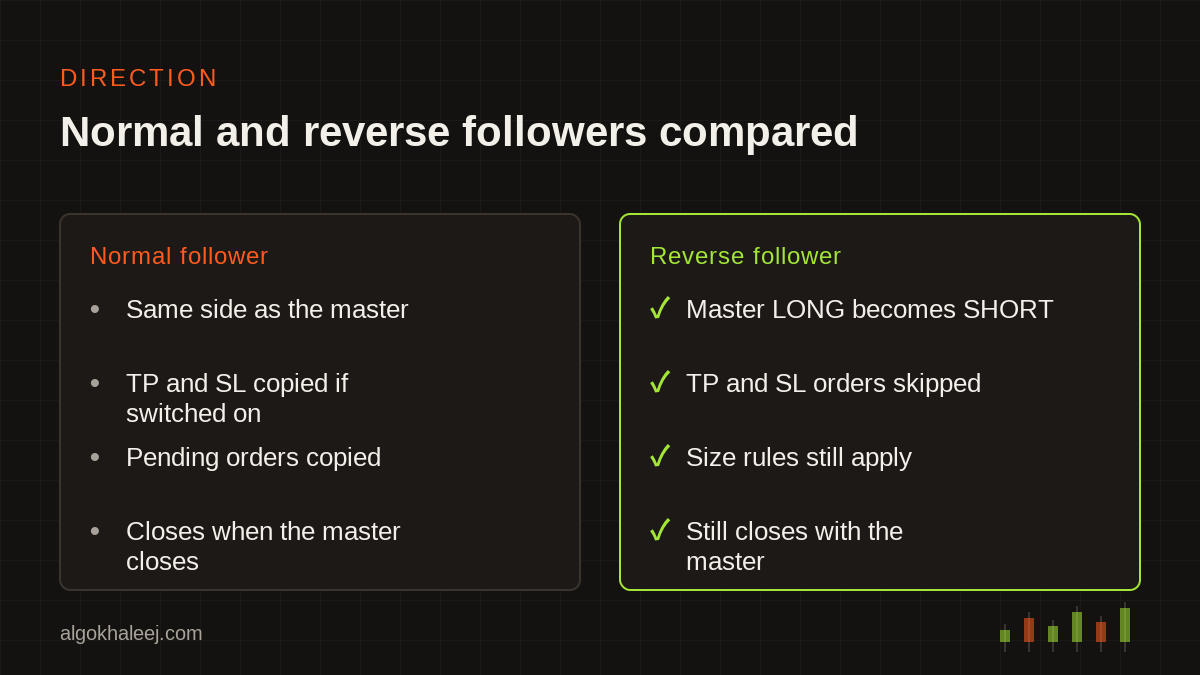
With reverse mode on, a follower takes the opposite side, so a master LONG becomes a follower SHORT. However, the app skips TP and SL orders in this mode. The follower still closes when the master closes, so exits stay in step.
API keys and security
You create one API key and secret for each account inside Shark Exchange, master and followers alike. Follower keys need trading permission, because they place orders. The app only reads the master’s positions and orders with its key. Shark Exchange shows the secret once, when you create the key, so paste it into the app straight away.

Then open Accounts, press Add account, choose Master or Follower, paste the key and secret, and set the copy rules. Next, Check connections shows each card’s rupee balance, or the error the exchange returned.
On security, these points matter most:
- The app stores keys and secrets encrypted on your PC and sends them only to Shark Exchange.
- After you save a key, it never appears on screen again. The card only marks it as saved.
- Our licence server receives a short hash of each follower key, never the key itself.
- The client can read balances, positions and orders, place and cancel orders, and set TP, SL, leverage and margin. It has no withdrawal call.
If your Shark Exchange account offers trade-only keys or an IP lock, use them as well.
When a copy fails
Orders get refused and connections drop. Retries are automatic. When a copy fails, the app simply tries again at the next check, which by default comes about 2 seconds later, and keeps trying until the follower matches. It also compares what each follower holds with what it should hold, then closes the gap. In addition, it records which follower order matches which master order, so a restart does not place the same copy twice.
Your licence sets how many followers can be active at once. A follower beyond that number waits and takes no new trades, but its closing orders still go through. The log states the allowed count.
Running it from the UAE or Saudi Arabia
The app works only while the app is open and the engine is running. So the Windows 10 or 11 (64-bit) machine has to stay on and online. If a laptop goes to sleep at 01:00 UAE time, which is midnight in Riyadh, copying stops right there and stays stopped until someone wakes the machine again. A Windows VPS that stays on avoids that gap. Our guide to running trading software on a VPS or a home PC compares both setups.
Meanwhile, the live log on the Copy Engine page shows each copy, skip and error as it happens.
How to get the app
Send us on WhatsApp how many follower accounts you run and which contracts you trade. We then reply with a quote and help with the setup. Our team works remotely from India and has no Gulf office.
If your accounts sit on MetaTrader instead, the MT4 and MT5 trade copier does the same job there. Common setup questions are answered in our trading software FAQ.