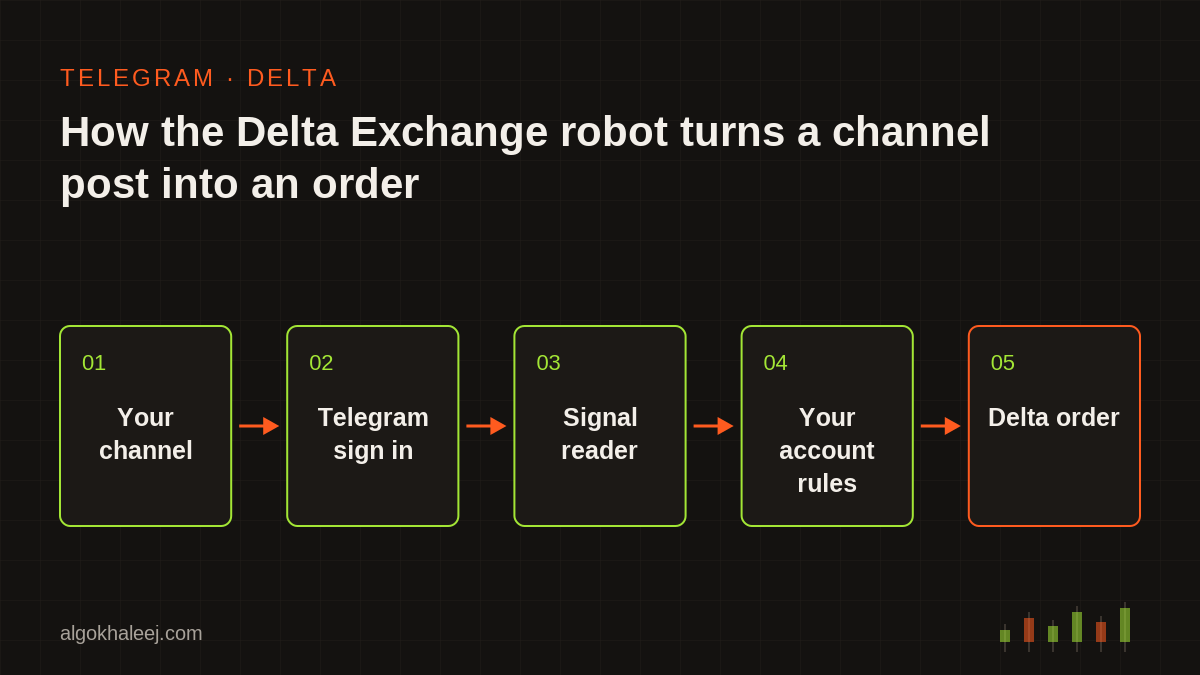
Who uses this app
Futures channels often post at hours when you cannot watch a screen. By the time you open Delta by hand, the entry has moved, and the stop may go in late. So a Delta Exchange robot takes over the typing. Traders in the UAE and Saudi Arabia who ask us about it tend to have one of these needs:
- a Telegram channel that posts USDT perpetual calls,
- signals that land during office hours or late at night,
- two or more Delta accounts, each with its own size,
- a stop that has to sit on the position from the first second.
We do not sell signals or rank channels. Instead, the app copies only the chats you tick, on Delta accounts you own. What it trades therefore stays your call.
Futures, options and binary options are high risk products. Check that Delta Exchange and the product you use are allowed where you live.
Signing in to Telegram
The app signs in as your own Telegram account. You type your phone number, then the code Telegram sends you. If two-step verification is on, you also enter that password, the same steps Telegram’s API docs describe for user sign in. After that, the session stays on your PC, and we never see it.
Next, a list shows every channel and group your account belongs to, with a search box. You tick the ones to follow. Private chats work too, because the app reads them as you.
Only fresh posts count. If a message reaches the app more than two minutes late, for example after the PC wakes from sleep, it does not trade. As a result, a pile of old calls cannot open positions at stale prices.
From a Telegram call to a Delta order
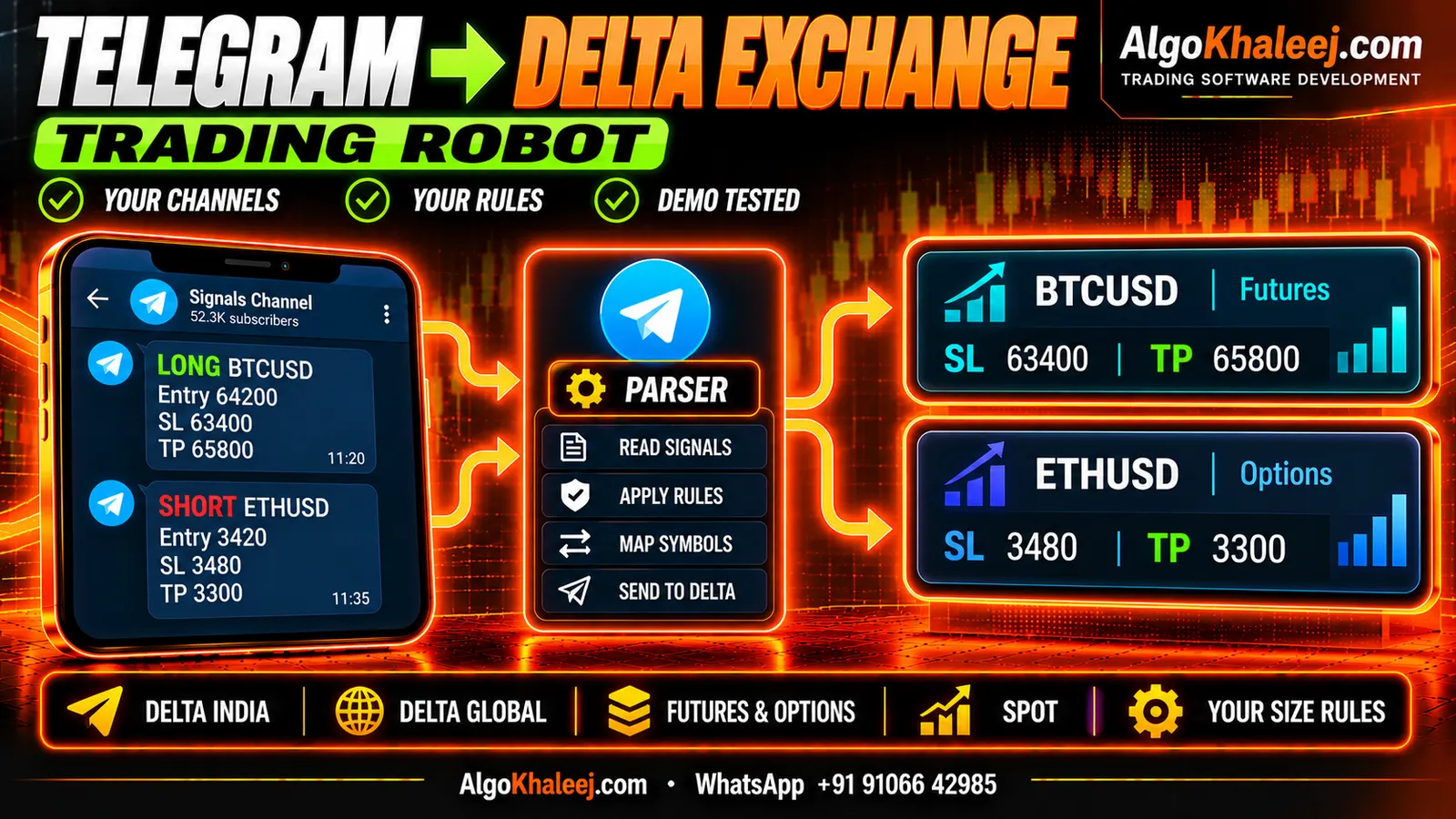
Every new post from a ticked chat goes to an AI model. It answers with one verdict only: buy, sell, close, or not a trade. Here is a typical call:
BUY ETH/USDT
Entry 3,100
SL 3,040
TP1 3,210  TP2 3,300
The reader treats ETH/USDT, ETHUSDT and plain ETH as the same coin. Also, some channels send the coin, the side and the stop as separate posts. In that case, the app joins everything that chat posted in the last minute into one trade.
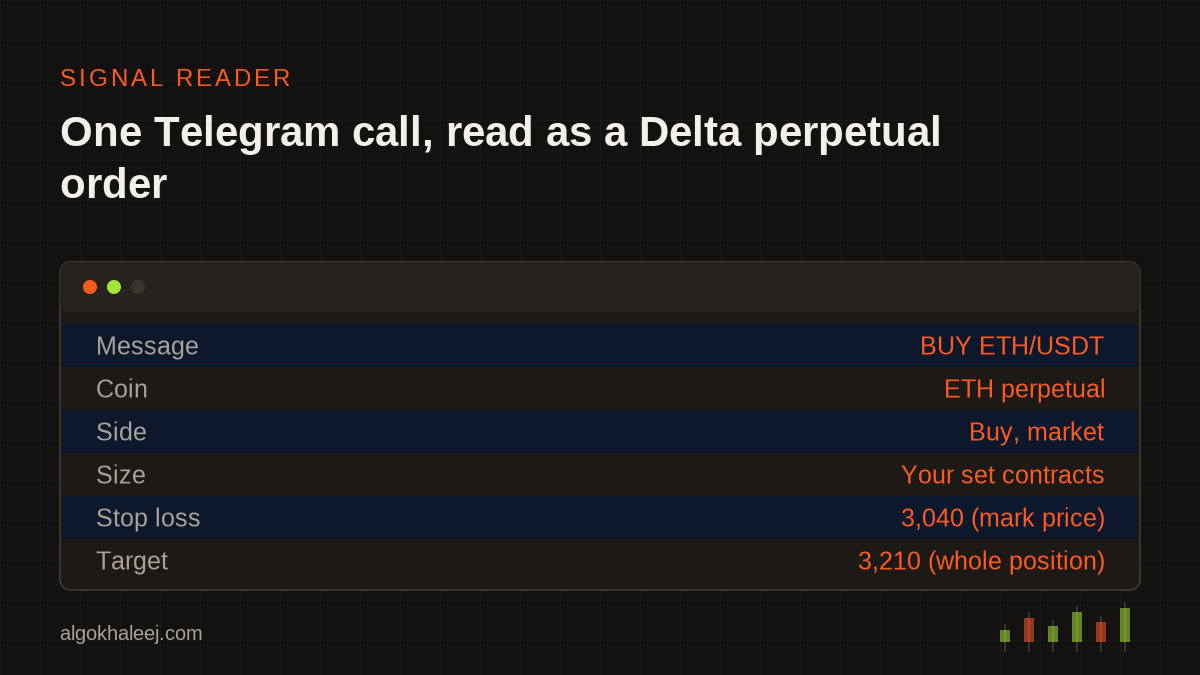
Exit posts such as “close ETH” or “stop hit” close the position on that coin. However, results, “target hit” updates, news, adverts, questions and “if price reaches X” plans are skipped, though each still appears in the journal. The AI never adds a price the post did not give, and when it is unsure, nothing trades. Before you go live, paste any message into “Try a message” to see how it would be read. No order goes out from that box.
Delta markets the app can trade
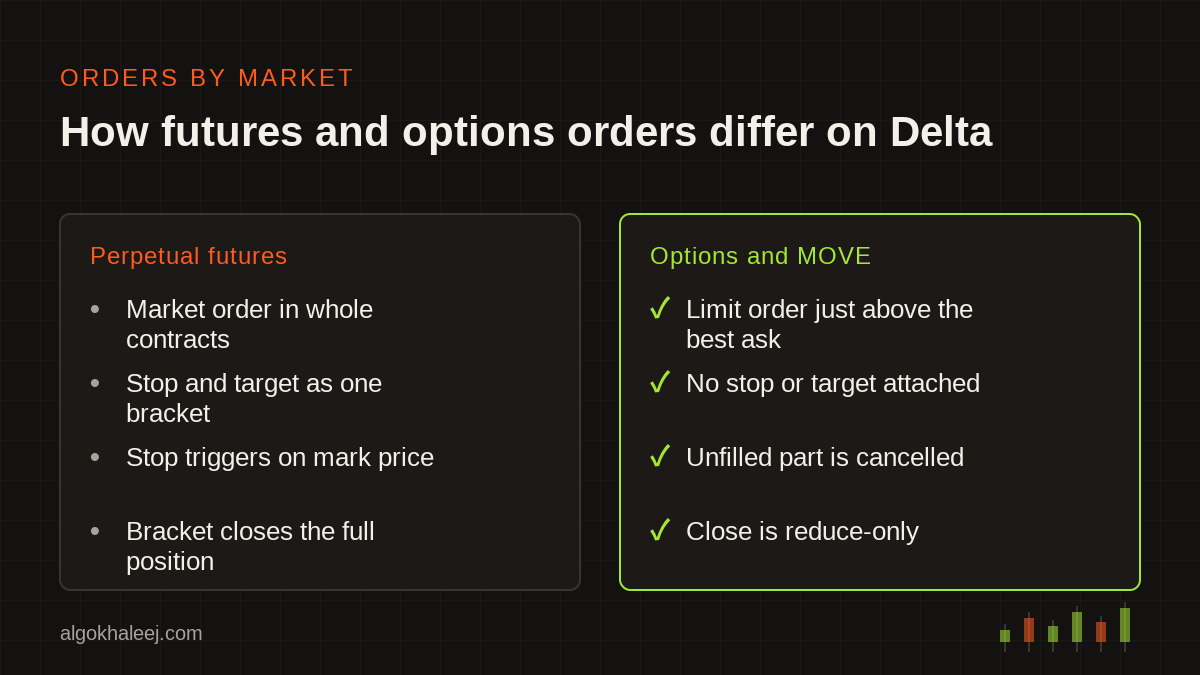
Each linked account trades one market. Here is what an order looks like in each:
| Market | Entry | Stop and target |
|---|---|---|
| Perpetual futures | Market order for your set number of whole contracts | Stop and first target as one bracket |
| Options | Buy signal buys a call, sell signal buys a put | None attached |
| MOVE options | Buy takes the at-the-money MOVE contract | No stop or target |
| Spot (Delta India INR pairs) | A buy spends your set rupee amount | None attached |
| Binary options (Delta Global) | Buy takes a binary call, sell a binary put, next expiry | Not used |
On options, the app picks the at-the-money strike and the nearest expiry at least 12 hours away, unless the post names them. For MOVE contracts, that gap is one hour. Options and MOVE buys go in as limit orders just above the best ask, inside Delta’s price band. Any part that does not fill is cancelled.
A sell or close on MOVE sells the contract back. The app never writes options, so it never opens a short option position. On spot, likewise, a sell only sells what the app itself bought.
Why no stop on options? The stop in a call refers to the coin’s price, not the option’s premium, so placing it on the option would be wrong.
API keys for the Delta Exchange robot
You choose Delta India or Delta Global for each account, plus Demo or Real. Then you create the API key on Delta yourself with the Trading permission switched on.
Delta’s API docs add two rules worth knowing. First, a key with Trading permission needs at least one whitelisted IP address, and requests from any other address fail. Second, a key made on Delta India works only with Delta India, and a key from the demo account works only on the testnet. So create the key on the site that matches the account you link.
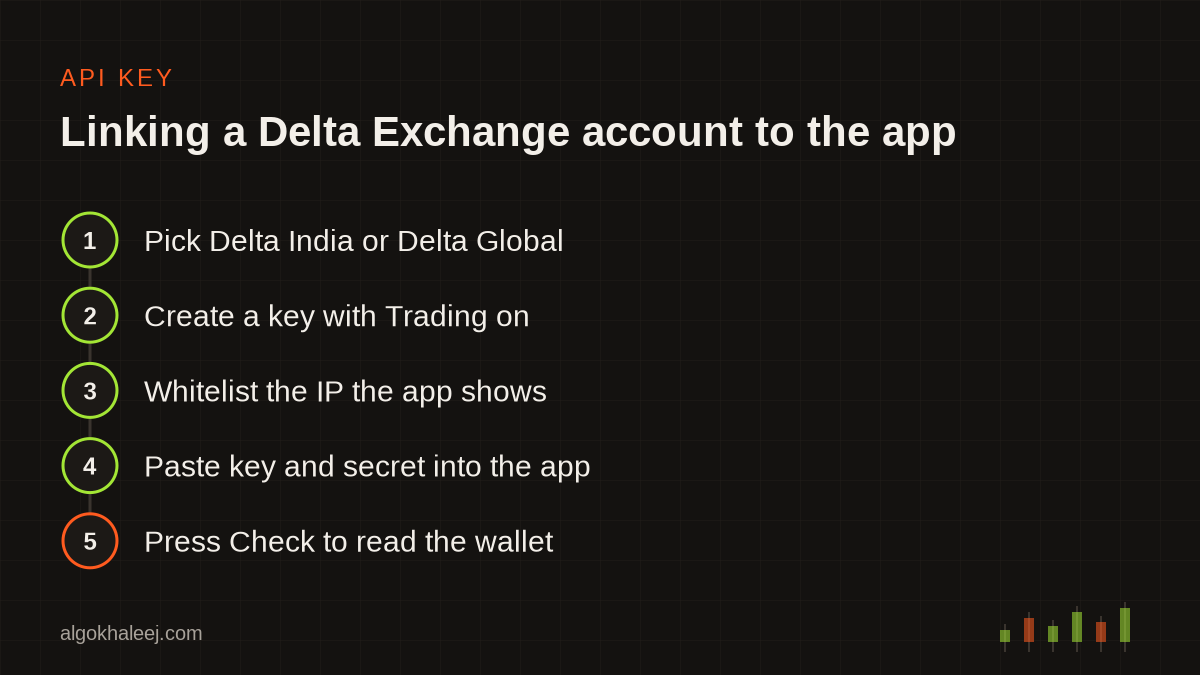
The app shows you its public IP address to whitelist. After that, the key and secret stay on your machine and go only to Delta, and the screen shows just their last four characters. Then the Check button reads your wallet balance, so you know the key works before the first call.
Each account has these settings:
- A name, the key and secret, the site and the market.
- Demo or Real.
- A size in contracts, or an amount for spot, which no channel can raise.
- Leverage up to 200x, or 0 to keep Delta’s current setting.
- An on and off switch.
When several accounts are on, all of them take the same call at the same time. On a Demo futures or spot account, the Test order button buys one BTC contract or a small amount of BTC on the testnet, then closes it.
Stops, brackets and repeat orders
On perpetual futures, the stop loss and the first target go on as one bracket order. Delta’s docs say a bracket covers the whole position and allows only one per open position on a contract. For that reason, when a position already has a bracket, the Delta Exchange robot updates it rather than adding a second one. The stop triggers on the mark price, which Delta offers as a trigger method.
Only the first target is used. Later, if the channel posts “close”, the app closes whatever is left. If Delta rejects the stop, the app closes the trade straight away and the journal says why.
Network delays happen too. If Delta does not reply in time, the app looks up the order by its own ID before trying again, so the same order never goes in twice.
Running it on UAE and Saudi time
The app trades only while its window is open, and closing it stops all copying. Delta futures trade around the clock, and many channels post overnight. A call at 01:30 UAE time is 00:30 in Riyadh, when most home PCs sleep. With the two minute rule, that call is lost.
Also, Delta’s docs warn that some internet providers change your IP address about once a week, and a changed IP breaks a whitelisted key. A small Windows VPS with a fixed public IP solves both problems. Our guide to running trading software on a VPS or a home PC compares the two setups. The app runs on Windows 10 or 11, 64-bit.
Journal and pause
The journal records every post the app acted on or skipped. For each account, it shows the source chat, side, size, contract, price and the time in milliseconds from reading the post to Delta’s reply. It keeps the latest 200 entries.
Each line also gives a plain reason, such as “IP not whitelisted”, “no trading permission”, “insufficient margin” or “No open position to close”. Then one Pause button stops all new trades until you resume.
How to get the app
Send us your Delta site, markets, account count and channels on WhatsApp. We then reply with a quote and help with the setup. Our team works remotely from India.
The Tools page lists our other ready apps. If your calls should go to MetaTrader instead, see the Telegram to MT4/MT5 copier. Common setup questions are covered in our trading software FAQ.